Anúncios
Audio delay on modern televisions has become a frequent complaint as households adopt Smart TVs and rely heavily on streaming platforms. The TV audio delay problem affects dialogue clarity, undermines immersion, and creates noticeable mismatches between speech and lip movement during movies, series, and live broadcasts.
This article examines audio delay as a technical and systemic issue rather than a single malfunction. It analyzes how hardware, software, and transmission standards interact inside Smart TVs and streaming apps, producing latency that viewers often misinterpret as simple device failure.
The scope of this analysis covers built-in TV speakers, soundbars, AV receivers, and wireless audio solutions. It also evaluates how streaming platforms, codecs, and operating systems influence synchronization across different usage scenarios.
By focusing on practical diagnostics and configuration-level solutions, this guide avoids superficial fixes. The objective is to help readers identify the real source of delay and apply targeted adjustments with predictable results.
The article draws on industry practices, broadcast standards, and real-world consumer electronics behavior. Every recommendation is grounded in how modern Smart TVs process audio and video signals internally.
Anúncios
The following sections break down the causes, fixes, and optimization strategies required to eliminate persistent audio lag. Each section addresses a specific layer of the problem, from physical connections to software processing pipelines.
Understanding Why Audio Delay Happens on Smart TVs
Smart TVs process video and audio through separate pipelines that rarely operate at identical speeds. Video enhancement features often introduce latency, forcing the television to buffer audio differently to maintain synchronization.
Streaming apps further complicate this process by decoding compressed audio streams in real time. Variations in bitrate, codec complexity, and network conditions can cause the audio stream to lag behind video playback.
External audio devices frequently amplify the issue because they introduce additional signal processing stages. Soundbars and AV receivers apply digital signal processing that adds milliseconds of delay before output.
Wireless audio connections represent another common source of desynchronization. Bluetooth transmission prioritizes stability over latency, making it unsuitable for perfectly synchronized video playback.
Firmware limitations also contribute to persistent audio delay. Some television models lack dynamic lip-sync compensation, forcing users to manually adjust audio timing.
Operating system overhead plays a subtle but significant role. Smart TV platforms run background services that compete for processing resources during playback.
Live content exposes latency more clearly than on-demand media. Sports broadcasts and live news reveal audio delay instantly because human perception detects speech mismatches faster in unscripted scenarios.
Content mastering differences further complicate consistency. Some streaming titles embed audio offsets that televisions fail to interpret correctly.
Understanding these overlapping factors is essential before attempting corrective actions. Treating audio delay as a single bug often leads to ineffective or temporary fixes.
++Best Free Documentary Channels You Can Stream Today
Adjusting Built-In Audio Sync Settings Correctly
Most Smart TVs include audio delay or lip-sync controls buried deep within sound settings menus. These controls allow users to manually align audio output with video rendering.
Effective adjustment requires disabling all automatic compensation features first. Manual calibration produces more reliable results when the television stops attempting dynamic corrections.
Users should test adjustments using dialogue-heavy scenes rather than music. Speech reveals synchronization errors more accurately than background audio or sound effects.
Incremental changes work better than aggressive offsets. Small timing shifts of 10 to 20 milliseconds often resolve noticeable delay without introducing echo artifacts.
Streaming apps sometimes override system-level audio settings. After adjusting TV settings, users should verify whether individual apps include separate audio sync controls.
Platform-specific behavior matters because app developers implement audio handling differently. What works for one streaming service may not translate directly to another.
Industry guidance from organizations such as Dolby explains how advanced audio formats introduce processing latency during decoding. Understanding these formats helps users anticipate necessary adjustments.
Restarting the television after configuration changes ensures settings apply correctly. Many Smart TVs cache audio parameters until a full system refresh occurs.
Consistent testing across multiple content types confirms whether adjustments truly resolve the issue. Stable synchronization indicates the delay originates from processing rather than transmission.
Optimizing External Audio Devices and Connections
External audio equipment often causes audio delay when improperly configured. Soundbars and receivers introduce processing latency that televisions cannot automatically compensate for.
HDMI ARC and eARC standards exist to reduce these issues. Using eARC-compatible ports enables faster audio transmission with built-in lip-sync metadata.
Cable quality also influences timing reliability. Certified HDMI cables maintain stable signal integrity and reduce transmission errors that trigger buffering delays.
The HDMI organization provides technical specifications detailing audio return channel behavior through HDMI.org. These standards clarify why outdated cables frequently cause synchronization problems.
Device order within the signal chain matters significantly. Connecting streaming devices directly to the TV often reduces latency compared to routing video through receivers first.
Users should disable unnecessary audio enhancements on external devices. Virtual surround modes and dialogue enhancement features add processing stages that delay output.
Wireless soundbars require special consideration. Even proprietary wireless protocols introduce latency that cannot be fully eliminated through settings alone.
Power-cycling all connected devices resets handshake protocols. This step often resolves timing mismatches caused by corrupted communication states.
Systematic testing with one device connected at a time isolates the exact source of delay. This method prevents misattributing the problem to the television itself.
++How to Watch Streaming Content Offline on Your TV or Phone
Streaming App Settings That Affect Audio Timing
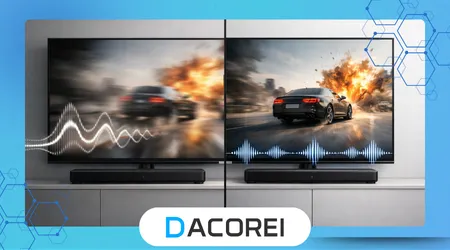
Streaming applications manage audio independently from the television’s operating system. App-level decoding pipelines often introduce delays that system settings cannot override.
Audio format selection plays a critical role. Switching from advanced surround formats to standard stereo frequently reduces latency on mid-range Smart TVs.
Automatic quality adjustment features can destabilize synchronization. When apps change bitrate dynamically, audio decoding may lag behind video rendering.
Clearing application cache improves timing consistency. Corrupted buffers occasionally store outdated synchronization data that persists across sessions.
App updates often include performance fixes addressing known latency issues. Keeping applications current minimizes exposure to unresolved synchronization bugs.
Consumer electronics research from the Consumer Technology Association highlights how app optimization varies across hardware generations. Older TVs struggle more with complex audio formats.
Disabling background downloads during playback reduces processor contention. Smart TVs multitask aggressively, affecting real-time audio processing.
Testing the same content across different apps identifies platform-specific issues. Consistent delay across apps indicates a system-level problem.
Reinstalling problematic applications resets internal configuration files. This step often resolves persistent audio lag that survives standard troubleshooting.
Comparing Common Audio Delay Sources and Fixes
Identifying the source of audio delay becomes easier when comparing typical scenarios and their solutions. The table below summarizes common causes and effective corrective actions.
| Source of Delay | Typical Scenario | Recommended Fix |
|---|---|---|
| Video processing | Motion smoothing enabled | Disable video enhancements |
| External soundbar | HDMI ARC connection | Switch to eARC or adjust lip-sync |
| Bluetooth audio | Wireless headphones | Use wired or low-latency codecs |
| Streaming app | Advanced audio format | Change to stereo output |
| Firmware limitation | Older TV models | Manual audio offset adjustment |
Understanding these patterns prevents unnecessary hardware replacements. Most audio delay issues respond to configuration changes rather than costly upgrades.
Applying fixes systematically reduces frustration. Random adjustments rarely solve the underlying cause.
Documenting which changes improve synchronization helps maintain stability after updates. This practice simplifies future troubleshooting.
Manufacturers design these systems assuming ideal conditions. Real-world usage exposes edge cases that require user intervention.
Consistent application of these solutions produces measurable improvements. Stable lip-sync restores viewing comfort and immersion.
Firmware, Updates, and Long-Term Stability
Firmware updates frequently address audio synchronization bugs. Manufacturers refine processing algorithms based on user feedback and field data.
Delaying updates increases exposure to unresolved issues. Outdated firmware often lacks compatibility improvements for newer streaming app versions.
Automatic update settings ensure timely installation. Manual updates risk postponement, especially on secondary televisions.
Factory resets can resolve deeply embedded synchronization problems. This step clears accumulated configuration conflicts introduced over time.
However, resets require careful reconfiguration afterward. Documenting previous settings simplifies restoration without reintroducing delay.
Environmental factors also influence long-term stability. Overheating can throttle processing performance, indirectly affecting audio timing.
Power quality matters more than users expect. Voltage fluctuations occasionally disrupt internal clocks responsible for audio-video synchronization.
Periodic system restarts refresh processing pipelines. This simple habit prevents gradual desynchronization during extended uptime.
Long-term stability depends on maintaining a balanced system. Hardware, software, and content must remain aligned to preserve accurate synchronization.
++How to Choose the Perfect TV Box for Your Home in 2026
Conclusion
Audio delay on Smart TVs rarely stems from a single fault. It emerges from the interaction between video processing, audio decoding, and external device behavior.
Treating the issue methodically yields the best results. Random setting changes often mask symptoms without correcting root causes.
Understanding how televisions prioritize video processing clarifies why audio falls behind. Manufacturers optimize visuals first, leaving audio correction to software.
External audio devices require equal scrutiny. Their processing capabilities often exceed what televisions can automatically compensate for.
Streaming apps introduce variability that traditional broadcast television never faced. Each platform handles audio differently, affecting consistency.
Firmware plays a decisive role in long-term performance. Updated systems align better with evolving streaming technologies.
Manual audio sync controls remain essential tools. Automated solutions still struggle with complex real-world scenarios.
Reliable synchronization restores narrative immersion. Viewers subconsciously disengage when audio and video fall out of alignment.
Applying targeted fixes reduces dependence on trial-and-error troubleshooting. Confidence replaces frustration during setup.
Consistent maintenance preserves results over time. Audio synchronization becomes stable when systems remain properly configured.
FAQ
1. Why does audio delay appear suddenly on a Smart TV?
Audio delay often appears after updates or configuration changes that alter processing behavior. Streaming app updates frequently introduce new audio formats that increase decoding latency.
2. Can HDMI cables really cause audio delay?
Yes, non-certified or damaged HDMI cables disrupt signal timing. These disruptions force buffering that affects audio synchronization.
3. Is Bluetooth audio always delayed on TVs?
Bluetooth prioritizes connection stability over latency. Most Bluetooth implementations introduce noticeable delay during video playback.
4. Do expensive soundbars eliminate audio delay?
Higher-end soundbars reduce latency but cannot eliminate it entirely. Proper configuration remains essential for accurate synchronization.
5. Why does live TV show more audio delay than movies?
Live content lacks pre-buffering opportunities. Any processing delay becomes immediately visible during real-time broadcasts.
6. Should I disable all video enhancements to fix delay?
Disabling enhancements often improves synchronization. Motion smoothing and noise reduction add significant video latency.
7. Do firmware updates ever make audio delay worse?
Occasionally, updates introduce new issues. Manufacturers usually correct these problems in subsequent releases.
8. Is replacing the TV the only permanent solution?
Replacement is rarely necessary. Most audio delay issues resolve through configuration and proper device integration.