Anúncios

Digital accounts now guard finances, communications, identities, and professional assets, making password manager security a foundational concern for modern users navigating interconnected platforms. This article examines secure, practical methods for storing credentials digitally while eliminating physical notes, screenshots, and unsafe memory shortcuts that routinely expose accounts to compromise.
Password storage has shifted from personal habit to operational security discipline as breaches increasingly exploit reused, weak, or exposed credentials. This analysis defines the technical, behavioral, and organizational principles that allow users to retain access control without increasing attack surfaces.
The scope of this article focuses on individual users, professionals, and small organizations managing dozens or hundreds of credentials across devices. It evaluates tools, cryptographic models, threat scenarios, and human factors shaping secure password storage decisions.
Rather than promoting single products, the discussion emphasizes verifiable standards, real-world incidents, and defensive architectures that scale with digital complexity. Each section connects security theory with everyday practices users can implement immediately.
This editorial approach avoids shortcuts and myths surrounding memorization or ad-hoc storage techniques. It instead frames password storage as a system combining software, hardware, behavior, and recovery planning.
Anúncios
By the conclusion, readers gain a structured understanding of how modern password storage works, why certain methods fail, and how to adopt resilient solutions without sacrificing usability or long-term control.
Why Writing Passwords Down Is a Security Liability
Writing passwords on paper or unsecured notes creates a static, unencrypted asset vulnerable to theft, loss, and casual exposure in shared environments. Physical access attacks remain common because they bypass digital safeguards entirely and exploit human convenience rather than technical flaws.
Office breaches frequently involve cleaning staff, visitors, or coworkers discovering written credentials attached to monitors, notebooks, or drawers. These incidents rarely trigger alerts, allowing attackers prolonged access without detection or forensic visibility.
Handwritten passwords also undermine rotation policies because users hesitate to update information they must rewrite and reorganize. This friction encourages reuse, predictable patterns, and outdated credentials persisting long after exposure.
Photographing written passwords with smartphones compounds the risk by creating unprotected digital copies synchronized across cloud services. These images often lack encryption and may be indexed, backed up, or accessed by third-party applications.
Paper storage fails catastrophically during emergencies such as fire, flooding, or relocation, eliminating recovery options. Secure systems require redundancy and controlled recovery paths that physical notes cannot provide.
Social engineering attacks exploit visible notes by confirming partial information during phishing or impersonation attempts. Even fragments, usernames, or service names significantly reduce attacker effort when combined with leaked databases.
Regulatory and workplace policies increasingly classify written passwords as negligent handling of credentials. Violations can trigger disciplinary actions, compliance failures, or liability when breaches occur.
From a security engineering perspective, physical notes introduce uncontrolled distribution and zero auditability. There is no reliable way to track access, duplication, or misuse once information leaves the user’s direct possession.
Eliminating written passwords is therefore not an overreaction but a baseline requirement for modern digital hygiene. Secure alternatives exist that improve both safety and daily usability simultaneously.
++Malware on Your Phone? Warning Signs You Should Never Ignore
How Password Managers Secure Credentials Digitally
Password managers encrypt credentials locally using strong cryptographic algorithms before any storage or synchronization occurs. This design ensures that even service providers cannot read stored data without the user’s master key.
Most reputable managers implement zero-knowledge architectures, meaning encryption and decryption happen exclusively on user devices. This model limits breach impact because stolen server data remains mathematically unreadable.
According to guidelines published by the National Institute of Standards and Technology, properly implemented encryption and key derivation significantly reduce credential compromise risks. These standards inform modern password manager designs and validation processes.
Password managers generate unique, high-entropy passwords automatically, eliminating predictable patterns created by human memory. This directly counters credential-stuffing attacks that rely on reuse across breached platforms.
Secure autofill mechanisms reduce exposure to keyloggers and shoulder-surfing by minimizing manual typing. Credentials populate only on verified domains, blocking many phishing attempts automatically.
Synchronization across devices occurs through encrypted vaults, maintaining availability without sacrificing confidentiality. Users can access credentials securely on phones, tablets, and computers without duplicating sensitive data.
Audit features identify weak, reused, or compromised passwords using breach monitoring databases. This proactive visibility allows users to remediate risks before attackers exploit them.
Password managers also store recovery information, secure notes, and authentication tokens in protected containers. Centralization reduces scattered risk while maintaining strict access control.
When configured correctly, password managers transform credential storage from a fragile habit into a resilient security system. They represent a fundamental upgrade rather than a convenience add-on.
Comparing Password Storage Methods and Risks
Different password storage methods vary significantly in threat exposure, recoverability, and long-term reliability. Understanding these trade-offs helps users select solutions aligned with their risk tolerance and digital footprint.
Browser-based storage offers convenience but depends heavily on device security and account protection. Compromised devices or synced accounts can expose entire credential sets quickly.
Standalone password managers isolate data within encrypted vaults, reducing dependency on single platforms. They typically provide stronger encryption controls and independent security audits.
Hardware-based storage devices add physical possession as a security factor, limiting remote attack vectors. However, they introduce loss and replacement considerations that require careful planning.
Memory-only strategies fail at scale because cognitive limits encourage reuse and simplification. Attackers exploit these predictable behaviors through automated guessing and credential stuffing campaigns.
The table below summarizes common password storage approaches and their relative risk profiles in real-world scenarios.
| Storage Method | Primary Risk | Recovery Capability | Recommended Use |
|---|---|---|---|
| Written Notes | Physical exposure | None | Not recommended |
| Browser Storage | Account compromise | Moderate | Low-risk accounts |
| Password Manager | Master password loss | High with setup | Most users |
| Hardware Vault | Device loss | Conditional | High-security needs |
Consumer protection agencies such as the Federal Trade Commission consistently report credential theft as a leading cause of identity fraud. These findings reinforce the importance of choosing structured, encrypted storage methods.
Risk evaluation should consider attacker models, device sharing, travel frequency, and account criticality. No single method fits all scenarios, but unmanaged approaches consistently perform worst.
Effective password storage balances confidentiality, availability, and recoverability without relying on fragile human memory. Structured tools outperform improvised solutions across every metric.
The Role of Master Passwords and Key Management
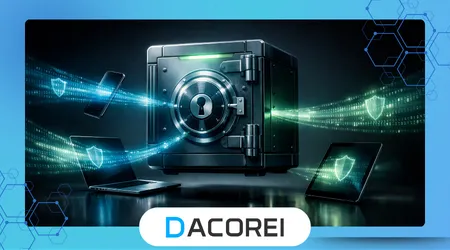
The master password secures access to the entire credential vault, making its strength and handling critically important. Unlike individual passwords, it must be both memorable and resistant to brute-force attacks.
Strong master passwords rely on length rather than complexity, using passphrases that resist guessing while remaining usable. This approach aligns with modern cryptographic guidance and usability research.
Key derivation functions transform master passwords into encryption keys through computationally intensive processes. This design slows attackers dramatically, even if they obtain encrypted vault data.
Users must avoid reusing master passwords across services because compromise becomes catastrophic. Isolation ensures that a single breach does not cascade across the entire digital identity.
The European Union Agency for Cybersecurity emphasizes key management discipline as central to personal and organizational security frameworks. Their research highlights failures caused by poor master password practices.
Multi-factor authentication adds a secondary barrier by requiring device approval or biometric confirmation. This protects vaults even when master passwords are exposed through malware or phishing.
Secure recovery mechanisms, such as emergency access contacts or recovery keys, mitigate lockout risks. These must be configured carefully to avoid introducing new vulnerabilities.
Users should periodically test recovery workflows to ensure availability during device loss or emergencies. Untested recovery plans often fail when needed most.
Master password management transforms password storage from a single point of failure into a controlled security process. Proper handling determines whether password managers strengthen or weaken overall protection.
++Why Your Email Is the Main Target for Hackers — And How to Secure It
Integrating Password Storage With Daily Security Habits
Password storage does not operate in isolation but interacts continuously with broader security behaviors. Device hygiene, update discipline, and network practices directly affect credential safety.
Keeping operating systems and applications updated reduces exploit pathways that bypass encrypted storage. Many credential theft incidents exploit outdated software rather than weak passwords.
Using secure networks and avoiding public Wi-Fi without protection prevents interception during authentication events. Encrypted vaults still rely on secure channels during login processes.
Phishing awareness remains essential because attackers target master credentials through deception rather than technical compromise. Password managers help by flagging domain mismatches automatically.
Separating personal and professional vaults reduces blast radius when access is shared or revoked. This compartmentalization mirrors enterprise security models adapted for individual users.
Regular security reviews help users prune obsolete accounts and credentials that increase exposure. Fewer active entries simplify monitoring and reduce attack surfaces.
Device-level protections such as full-disk encryption and biometric locks complement password storage systems. They add physical security layers without increasing cognitive burden.
Behavioral consistency matters because exceptions often become exploitation points. Secure storage must be the default rather than an occasional practice.
When integrated holistically, password storage systems support sustainable security rather than constant vigilance. They shift protection from effort to architecture.
++How to Detect Fake Websites Before Entering Personal Data
Conclusion
Secure password storage is not a single decision but an evolving system shaped by tools, habits, and threat awareness. Sustainable strategies prioritize resilience over short-term convenience.
Eliminating written passwords removes an entire class of low-effort attacks that continue to succeed worldwide. This step alone significantly raises the baseline security posture.
Password managers provide a practical balance between strong encryption and everyday usability. Their effectiveness depends on correct configuration rather than brand selection.
Understanding storage methods empowers users to make informed trade-offs instead of relying on assumptions. Awareness reduces reliance on fragile memory-based practices.
Master password discipline anchors the entire system and deserves deliberate attention. Length, uniqueness, and recovery planning determine long-term viability.
Security integration ensures that password storage aligns with device and network protections. Isolated measures fail when surrounding controls remain weak.
Regular audits transform password storage from static setup into active risk management. Visibility enables timely responses to emerging threats.
Adopting structured storage reduces cognitive load while increasing protection. Users spend less time managing passwords and more time maintaining security.
This approach scales with digital complexity rather than collapsing under it. Proper storage adapts as accounts, devices, and risks evolve.
Ultimately, secure password storage is an investment in continuity, privacy, and trust. Systems designed today determine resilience against tomorrow’s breaches.
FAQ
1. Are password managers safer than browser password storage?
Password managers use dedicated encryption and zero-knowledge designs that generally provide stronger isolation and audit features than browser-based storage mechanisms.
2. What happens if I forget my master password?
Without recovery options configured, encrypted vaults become inaccessible, which is why secure recovery mechanisms must be established during setup.
3. Can password managers be hacked?
Breaches may expose encrypted data, but properly implemented encryption prevents attackers from accessing credentials without the master key.
4. Is it safe to store all passwords in one place?
Centralized encrypted storage reduces scattered risk when protected by strong master passwords and multi-factor authentication.
5. Should I change passwords stored in a manager regularly?
Regular rotation is recommended for high-risk accounts, while unique, strong passwords reduce the need for frequent changes elsewhere.
6. Do password managers protect against phishing?
Many managers detect domain mismatches and refuse autofill on fraudulent sites, reducing phishing success rates significantly.
7. Are free password managers secure?
Security depends on architecture and audits rather than price, but users should review encryption models and update practices carefully.
8. Can I use a password manager across multiple devices?
Encrypted synchronization allows secure multi-device access when devices are properly protected and authenticated.