Anúncios
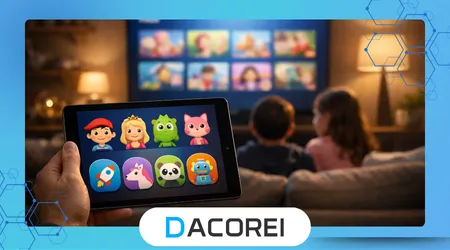
Kids streaming safety has become a defining concern for families navigating entertainment platforms designed for adults, children, and mixed audiences. This article examines how parents can configure safer profiles while maintaining access, usability, and age-appropriate autonomy across modern streaming ecosystems.
Streaming platforms increasingly shape how children consume stories, music, and educational content at home and on mobile devices. Understanding profile controls, recommendation systems, and platform governance is essential to prevent exposure to harmful or unsuitable material.
This analysis focuses on practical, platform-agnostic strategies rather than promotional advice tied to a single service. It evaluates safety tools, parental controls, algorithm behavior, and real-world usage patterns affecting children daily.
The scope includes televisions, tablets, smartphones, and shared household accounts used across multiple age groups. Each section translates technical settings into understandable actions parents can apply immediately.
Attention is also given to the balance between protection and independence as children grow. Over-restrictive profiles can reduce trust, while under-configured settings expose children to unnecessary digital risks.
Anúncios
By combining technical configuration with behavioral oversight, families can create safer streaming environments without eliminating discovery, creativity, or enjoyment. The following sections break down the essential components of effective kids streaming profiles.
Why Kids Profiles Exist and How They Work
Kids profiles exist to separate children’s viewing experiences from adult accounts using predefined content rules and interface limitations. Platforms deploy these profiles to reduce legal risk, protect brand trust, and meet regional child protection standards.
Most kids profiles rely on age ratings, content tags, and metadata supplied by studios and distributors. These systems automatically filter libraries, thumbnails, search results, and autoplay behavior.
Algorithmic recommendations within kids profiles differ significantly from adult versions. They prioritize repetition, familiarity, and franchise continuity rather than novelty or trending content.
Interface design also changes inside kids environments, emphasizing larger icons, simplified menus, and limited navigation depth. These changes reduce accidental exposure to non-child content.
Despite these safeguards, kids profiles are not foolproof. Misclassified titles, regional rating differences, and shared device usage still create gaps.
Parents must understand that kids profiles act as a first safety layer, not a complete solution. Active configuration and periodic review remain necessary.
Profile protections vary widely between platforms, even when labels appear similar. Assuming uniform behavior across services increases risk.
Understanding how recommendations evolve over time helps parents spot problems early. Viewing history strongly influences future suggestions.
Effective use of kids profiles requires ongoing supervision rather than one-time setup. Safety improves when technical controls align with family rules.
++How to Fix Audio Delay Issues on Smart TVs and Streaming Apps
Setting Age Ratings and Content Filters Correctly
Age ratings form the foundation of kids streaming safety across all major platforms. Selecting an appropriate age band determines which movies, shows, and categories remain visible.
Parents should avoid default age settings during profile creation. Many platforms preselect broad ranges that include borderline or mixed-audience content.
Regional rating systems differ between countries, affecting how content is classified. A show rated suitable in one market may appear inappropriate elsewhere.
Manual overrides allow parents to block specific titles even when ratings permit access. This feature proves useful for content with mature themes despite child-friendly branding.
Some services offer maturity sliders rather than fixed age categories. These sliders require careful calibration and regular reassessment as children grow.
Content filters often include language, violence, and thematic sensitivity controls. Activating all available filters strengthens baseline protection.
Platforms increasingly integrate learning content into kids profiles. Parents should verify educational claims rather than assuming inherent quality.
Consistent review of available titles prevents gradual dilution of restrictions. Libraries expand continuously, introducing new classification challenges.
Parents benefit from documenting chosen settings to maintain consistency across devices. This approach reduces configuration errors during updates or account changes.
Using PINs, Locks, and Account Security Features
Security features prevent children from switching profiles or modifying restrictions without permission. PINs and locks protect the integrity of kids streaming environments.
Most platforms allow parents to lock profile changes behind numeric codes. Choosing non-obvious PINs reduces accidental discovery by older children.
Account-level locks also prevent purchases, rentals, and subscription upgrades initiated from kids profiles. These protections guard against financial surprises.
Some services allow time-based restrictions alongside security locks. These features automatically limit viewing during late hours or school days.
Parents should avoid sharing master account credentials across devices. Separate login control reduces the chance of settings being altered remotely.
Device-level parental controls complement platform security features. Combining both layers strengthens overall protection against bypass attempts.
Regularly changing PINs helps maintain long-term effectiveness as children mature. Static codes become vulnerable over time.
Security alerts notify parents when profile changes occur. Enabling these notifications increases transparency and accountability.
Strong account security reinforces kids streaming safety by ensuring restrictions remain intentional and enforced. Technical discipline supports parental authority.
++Best Free Documentary Channels You Can Stream Today
Managing Recommendations, Autoplay, and Search Behavior
Recommendation engines shape most streaming experiences, especially for children who rely on visual cues. Managing these systems reduces exposure to unsuitable suggestions.
Autoplay features encourage continuous viewing and reduce parental oversight. Disabling autoplay helps reintroduce intentional viewing decisions.
Search functionality can bypass curated home screens. Restricting search or limiting results prevents accidental discovery of adult-oriented titles.
Clearing viewing history resets recommendation patterns when content drifts away from family expectations. This action recalibrates algorithmic behavior.
Some platforms allow parents to approve specific shows manually. Whitelisting trusted content provides predictable viewing options.
Recommendation transparency remains limited across services. Parents should observe suggested content periodically rather than trusting automated systems blindly.
Cross-profile contamination occurs when devices mix usage data. Logging out of adult profiles prevents recommendation leakage.
Independent research from institutions like Common Sense Media highlights how algorithms influence children’s media habits. Their findings support proactive recommendation management.
Active monitoring ensures algorithms serve children’s interests safely. Recommendations should support development rather than undermine parental intent.
Platform Differences Parents Should Know About
Streaming platforms vary significantly in how they implement kids streaming safety features. Assuming equivalence across services often leads to configuration gaps.
Some platforms isolate kids profiles entirely, while others allow limited crossover content. Understanding these distinctions prevents false security assumptions.
Live content introduces additional complexity compared to on-demand libraries. News clips, advertisements, and previews may bypass standard filters.
Global platforms apply regional compliance differently. Parents traveling or using VPNs may encounter unexpected content availability.
User interface updates can alter safety settings without explicit notice. Reviewing controls after major updates remains essential.
Accessibility features sometimes override profile restrictions. Voice search and smart assistant integration require additional scrutiny.
Public broadcasters and educational platforms often follow stricter child protection standards. Organizations like PBS Kids model conservative content governance approaches.
Subscription tiers may influence available parental controls. Some advanced features remain locked behind premium plans.
Understanding platform-specific behavior allows parents to tailor safety strategies effectively. Generic assumptions reduce overall protection quality.
Teaching Digital Boundaries Alongside Technical Controls
Technical safeguards cannot replace digital literacy and family communication. Teaching boundaries reinforces kids streaming safety beyond platform settings.
Children benefit from understanding why certain content remains restricted. Transparent explanations foster cooperation rather than resistance.
Establishing viewing schedules promotes healthy habits and reduces passive consumption. Consistency matters more than strict duration limits.
Co-viewing sessions help parents assess content tone and messaging directly. Shared viewing also builds trust and dialogue.
Encouraging children to report uncomfortable content improves response speed. Open channels reduce secrecy and fear.
Digital rules should evolve as children age and mature. Static policies often fail to reflect changing developmental needs.
Educational institutions increasingly address media literacy. Guidance from groups like American Academy of Pediatrics supports balanced media use frameworks.
Parents should model responsible streaming behavior themselves. Consistent example strengthens credibility and adherence.
Combining education with technical controls creates resilient safety systems. Children learn to navigate media thoughtfully rather than passively.
++How to Watch Streaming Content Offline on Your TV or Phone
Comparative Overview of Key Safety Features
Different platforms emphasize different aspects of kids streaming safety. Comparing core features helps parents identify strengths and weaknesses.
| Feature | Common Availability | Parental Impact |
|---|---|---|
| Age-Based Profiles | High | Filters baseline content |
| PIN Protection | Medium | Prevents profile switching |
| Autoplay Control | Medium | Reduces binge exposure |
| Search Restrictions | Low | Limits discovery risks |
| Activity Reports | Low | Improves oversight |
This overview highlights uneven implementation across services. Parents should not assume full coverage by default.
Platforms with fewer features require stronger parental supervision. Awareness compensates for missing technical controls.
Table-based comparisons simplify decision-making during setup or platform selection. Visual summaries support informed configuration.
Evaluating safety features periodically helps families adapt to platform changes. Static comparisons lose relevance over time.
No single platform offers complete protection independently. Layered strategies remain essential.
Understanding comparative strengths empowers parents to prioritize actions effectively. Safety improves through informed choice.
Conclusion
Kids streaming safety depends on intentional configuration rather than default trust in platform design. Profiles provide structure, but oversight sustains effectiveness.
Parents who understand how profiles function gain greater control over household media environments. Knowledge reduces reliance on assumptions.
Age ratings and filters form essential foundations when applied thoughtfully. Misconfigured settings undermine otherwise strong protections.
Security tools like PINs and locks preserve boundaries over time. Consistent use prevents accidental or deliberate bypassing.
Recommendation systems require active management to remain aligned with family values. Algorithms respond to behavior, not intent.
Platform differences demand tailored strategies rather than uniform approaches. Awareness minimizes unexpected exposure.
Teaching digital boundaries complements technical measures effectively. Education transforms passive protection into active understanding.
Comparative evaluation clarifies strengths and weaknesses across services. Informed parents adapt faster to changes.
Ongoing review ensures settings evolve alongside children’s development. Static controls lose relevance as needs change.
Balanced engagement creates safer, healthier streaming experiences. Protection works best when technology and parenting align deliberately.
FAQ
1. Can kids profiles completely block adult content?
Kids profiles significantly reduce exposure but cannot guarantee total exclusion due to misclassification, updates, and shared device usage across accounts.
2. How often should parents review streaming settings?
Quarterly reviews work well, with additional checks after platform updates, device changes, or noticeable shifts in recommended content.
3. Are free streaming platforms safe for children?
Free platforms often include ads and weaker controls, requiring stricter supervision and device-level restrictions to maintain safety.
4. Do age ratings reflect cultural differences accurately?
Age ratings vary by region and culture, making parental judgment essential alongside automated classification systems.
5. Can children bypass profile restrictions easily?
Older children may exploit weak PINs or shared credentials, highlighting the importance of strong security practices.
6. Should search be disabled in kids profiles?
Disabling search reduces risk, especially for younger children, but may limit discovery for older, supervised users.
7. Is co-viewing necessary with kids profiles enabled?
Co-viewing remains valuable for context, discussion, and early detection of unsuitable themes or messaging.
8. Do parental controls affect educational content negatively?
Properly configured controls support educational access while filtering distractions, enhancing learning rather than limiting it.