Anuncios
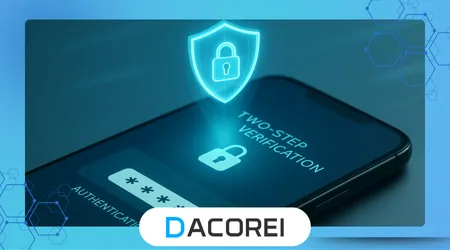
La verificación en dos pasos es esencial para cualquiera que quiera una mayor protección contra las amenazas en línea y el acceso no autorizado a cuentas y datos personales.
Los ciberdelincuentes continúan desarrollando sus técnicas, haciendo que las contraseñas por sí solas sean insuficientes para mantener la información del usuario a salvo de violaciones y robos de identidad.
Al agregar una capa de autenticación adicional, los usuarios reducen la posibilidad de que extraños obtengan el control de sus correos electrónicos, redes sociales y servicios bancarios.
Este artículo explora cómo la verificación en dos pasos fortalece sus defensas y explica los métodos exactos para activarla en diferentes plataformas.
Aprenderá las mejores prácticas para códigos de respaldo, herramientas de seguridad basadas en aplicaciones y recomendaciones para evitar errores de configuración comunes.
Anuncios
Proteger sus cuentas solo lleva unos minutos y reduce drásticamente el riesgo de perder información confidencial a través de ataques.
Por qué es importante la verificación en dos pasos
La verificación en dos pasos obliga a los atacantes a pasar por alto más de una contraseña y requiere un segundo factor, como un código enviado a su teléfono o una clave física.
Los delincuentes a menudo obtienen contraseñas mediante filtraciones, phishing o ataques de fuerza bruta, pero generalmente fallan cuando las cuentas requieren un código de aprobación en tiempo real para validar el acceso.
Esta protección se vuelve aún más valiosa si tenemos en cuenta la frecuencia con la que se exponen los datos personales durante las violaciones de seguridad que afectan a las principales empresas y plataformas a nivel mundial.
La combinación de algo que sabes y algo que tienes crea una barrera de seguridad que bloquea la mayoría de los intentos de intrusión automatizada de forma efectiva y silenciosa.
Los usuarios también ganan más visibilidad, porque las solicitudes de inicio de sesión generan alertas que les notifican inmediatamente cuando alguien intenta invadir sus cuentas sin autorización.
++Qué hacer si tu cuenta de WhatsApp es hackeada
Plataformas populares que admiten la verificación en dos pasos
Los servicios más utilizados, como Google, Apple y Microsoft, ofrecen configuraciones sencillas para activar la verificación en dos pasos en teléfonos inteligentes y computadoras.
Las plataformas sociales populares como Facebook e Instagram incluyen opciones claras para proteger las cuentas usando aplicaciones de autenticación o mensajes de texto para obtener códigos de verificación rápida.
A continuación se muestra una comparación rápida que muestra lo común que es encontrar verificación de dos pasos incorporada en los principales servicios:
| Plataforma | Métodos de verificación | Códigos de respaldo disponibles | Nivel de dificultad |
|---|---|---|---|
| SMS, aplicación, clave de seguridad | Sí | Fácil | |
| Manzana | Aviso del dispositivo, SMS | Sí | Medio |
| SMS, aplicación | Sí | Fácil |
Para entender cómo las grandes empresas tratan los estándares de seguridad, los usuarios pueden consultar la documentación oficial de Centro de seguridad de Google.
Muchos bancos y aplicaciones de pago utilizan la verificación en dos pasos automáticamente para evitar transacciones no autorizadas, especialmente cuando los usuarios acceden a los servicios en dispositivos nuevos.
Incluso las plataformas de juegos y los proveedores de correo electrónico ahora presionan a los usuarios para que habiliten una autenticación más fuerte, reconociendo que las identidades en línea tienen un enorme valor en el mundo real.
Pasos de configuración comunes en todos los dispositivos
La mayoría de las cuentas muestran un menú dedicado a la seguridad o privacidad donde los usuarios pueden encontrar la opción para habilitar la verificación en dos pasos de forma rápida y clara.
Una vez que comienza la activación, el servicio generalmente solicita confirmar números de teléfono o aplicaciones de autenticación para garantizar que el método de respaldo esté listo y funcione.
Una opción popular y segura es utilizar una aplicación de autenticación como el confiable Microsoft Authenticator, analizado en detalle en la página de soporte de Microsoft.
Los usuarios deben guardar todos los códigos de recuperación proporcionados, porque perder el acceso a un teléfono o una aplicación sin copias de seguridad crea graves problemas de accesibilidad más adelante.
Para finalizar la configuración es necesario probar la función, generalmente ingresando un código corto para verificar que todo funcione correctamente antes de guardar la configuración de forma permanente.
++Compras en línea: Consejos de seguridad antes de pagar
Códigos de respaldo y recuperación
Los códigos de respaldo actúan como claves de emergencia para su cuenta cuando el teléfono utilizado para la verificación en dos pasos se pierde, se daña o no está disponible por algún motivo inesperado.
Estos códigos son de un solo uso y deben almacenarse de forma segura fuera de línea, por ejemplo, impresos en papel y guardados bajo llave en un lugar seguro y privado, lejos de extraños o riesgos.
Servicios como Apple ofrecen pautas detalladas sobre la protección de los datos de recuperación en su versión oficial. Página de seguridad del ID de Apple.
Los usuarios deben generar nuevos códigos después de cada cambio importante en los dispositivos o siempre que exista sospecha de que alguien más puede haber obtenido acceso a los códigos.
Comprender las herramientas de respaldo ayuda a evitar pánico y demoras cuando los propietarios legítimos necesitan acceso urgentemente durante viajes, emergencias o interrupciones técnicas.
Cómo evitar errores comunes
Depender únicamente de los mensajes SMS crea vulnerabilidades si los atacantes clonan tarjetas SIM, por lo que las aplicaciones de autenticación o las claves físicas brindan opciones de protección más resistentes.
Muchas personas olvidan actualizar sus métodos de verificación después de cambiar sus números de teléfono, dejando las cuentas bloqueadas cuando futuros intentos de acceso requieren dispositivos inaccesibles.
Un hábito simple es verificar la configuración de seguridad mensualmente, asegurándose de que las aplicaciones de autenticación permanezcan instaladas, actualizadas y correctamente vinculadas a cada cuenta importante.
Nunca comparta códigos de verificación con nadie, incluidas personas que fingen representar a empresas que solicitan “acceso temporal” o verificaciones de identidad urgentes.
Educar a amigos y familiares sobre estas estafas fortalece la protección general, porque un contacto comprometido puede poner a otros en riesgo a través de una confianza manipulada.
++Cómo bloquear llamadas y mensajes sospechosos
Historias de seguridad de la vida real
Las empresas a menudo denuncian casos en los que los delincuentes acceden a las cuentas sin dificultad simplemente porque la verificación en dos pasos no estaba activada o configurada correctamente.
Hay incidentes en los que los piratas informáticos compran contraseñas filtradas en masa desde sitios web clandestinos y acceden a las bandejas de entrada de correo electrónico instantáneamente cuando no existe un segundo paso de autenticación.
Por el contrario, las historias muestran intentos de invasión bloqueados gracias a alertas instantáneas, lo que da a los propietarios tiempo para cambiar las contraseñas antes de nuevos intentos de intrusión.
Los analistas de seguridad destacan con frecuencia cómo la verificación en dos pasos evitó importantes fugas de datos durante grandes infracciones corporativas, protegiendo conversaciones personales y archivos confidenciales.
A medida que aumenta la exposición digital cada día, habilitar esta capa adicional mantiene las identidades más seguras y previene consecuencias devastadoras como la suplantación de identidad y el fraude financiero.
Conclusión
La verificación en dos pasos representa una de las acciones más impactantes que cualquier persona puede tomar para fortalecer la ciberseguridad personal en teléfonos inteligentes, computadoras y plataformas en línea esenciales.
El proceso de instalación requiere un mínimo esfuerzo y añade una barrera protectora lo suficientemente potente como para detener la mayoría de los intentos de acceso no autorizado de forma efectiva y discreta.
Mantener los códigos de respaldo seguros, actualizar los números y usar aplicaciones de autenticación en lugar de SMS proporcionan los mejores resultados para una protección consistente en todas partes.
Al activar hoy la verificación en dos pasos, los usuarios toman el control de su seguridad y reducen la posibilidad de convertirse en víctimas de crecientes amenazas digitales.
PREGUNTAS FRECUENTES
1. ¿Es realmente necesaria la verificación en dos pasos?
Sí, porque las contraseñas a menudo se filtran o son robadas, y un segundo paso de autenticación bloquea la mayoría de los intentos de acceso no autorizado.
2. ¿Puedo usar mi número de teléfono para verificación?
Sí, pero las aplicaciones de autenticación o las claves físicas ofrecen una protección más fuerte que los mensajes SMS.
3. ¿Qué pasa si pierdo mi teléfono?
Los códigos de respaldo y los dispositivos secundarios le ayudan a recuperar el acceso de forma segura sin tener que reiniciar todo.
4. ¿La verificación en dos pasos ralentiza el inicio de sesión?
Agrega solo unos segundos, pero aumenta drásticamente la seguridad de la cuenta y las notificaciones de alerta.
5. ¿Qué cuentas debo proteger primero?
Los servicios de correo electrónico, banca y redes sociales deberían recibir prioridad, porque se conectan al conjunto más amplio de información personal.