Annonces
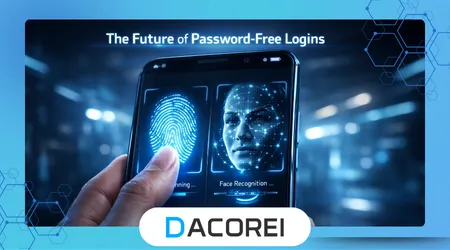
Every time you open an app and struggle to remember yet another password, you’re experiencing the friction that Passwordless authentication aims to eliminate. Forgotten credentials, repeated resets, and weak passwords have become everyday frustrations that slow people down and expose them to unnecessary risks.
For many users, this problem isn’t occasional—it happens daily across banking apps, social media, and work platforms. The more accounts you manage, the more likely you are to reuse passwords or rely on insecure shortcuts that quietly compromise your security.
What makes this worse is that traditional passwords were never designed for the scale of modern digital life. People are expected to memorize dozens of complex combinations, yet still access services quickly, often from multiple devices throughout the day.
This article breaks down how password-free login systems actually work, why they’re gaining traction, and how to decide if they’re worth adopting in your own digital routine. The goal is not just understanding the technology, but applying it in a way that reduces friction and improves real-world security.
When Logins Become a Daily Friction Point
Most people don’t notice how much time they lose to login issues until something goes wrong. You open an app, try a password that worked yesterday, fail twice, and suddenly you’re locked out or forced into a reset flow that interrupts everything you were doing.
Annonces
This pattern repeats across devices, especially when switching between phone and desktop. A password saved on one device might not sync properly, leading to inconsistent access and increasing reliance on risky behaviors like writing credentials down or using overly simple combinations.
A quick self-check exposes the issue clearly. If you’ve reused the same password across multiple services or rely heavily on “forgot password” links, you’re already operating in a fragile system that depends more on convenience than security.
Another overlooked factor is how users behave under pressure. When access is urgent—such as logging into banking or work tools—people tend to bypass best practices just to get in quickly, which creates long-term vulnerabilities.
From experience, one of the most common mistakes is assuming password managers alone solve the problem. While helpful, they still rely on the existence of passwords, which means the core issue remains unchanged.
This is where password-free systems begin to shift the model entirely, removing the need to remember anything while maintaining or even increasing security.
What Passwordless Authentication Actually Means in Practice
At its core, passwordless authentication replaces traditional credentials with something you have or something you are. This usually involves biometrics, secure device-based keys, or one-time authentication links sent to trusted devices.
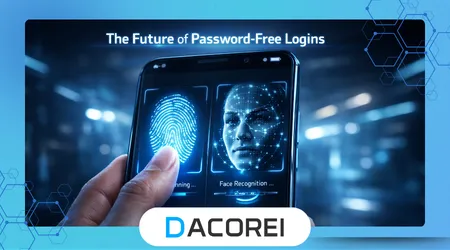
Instead of typing a password, you might unlock your account using fingerprint recognition or a face scan. Behind the scenes, your device confirms your identity through cryptographic keys that never leave the hardware, making interception extremely difficult.
A widely adopted standard is FIDO2, which enables secure, password-free login using hardware-backed credentials. According to the FIDO Alliance official documentation, this approach reduces phishing risks because there is no shared secret to steal.
In real-world use, the difference becomes obvious quickly. Logging into a service becomes a single tap or glance, eliminating delays and reducing cognitive load without sacrificing control.
However, the transition is not always seamless. Users often underestimate the importance of device trust, and losing access to a registered device can temporarily complicate account recovery if backup methods are not configured properly.
From practical observation, the most effective setups combine biometric authentication with fallback methods like secure email verification, ensuring both convenience and resilience in unexpected situations.
Tools and Platforms Leading the Shift
Several platforms are already integrating passwordless authentication into their ecosystems, each with slightly different approaches depending on user behavior and device compatibility.
Below is a comparison of commonly used tools and how they function in real scenarios:
| Outil / Application | Fonctionnalité principale | Cas d'utilisation optimal | Compatibilité de la plateforme | Gratuit ou payant |
|---|---|---|---|---|
| Google Passkeys | Device-based biometric login | Everyday app and browser access | Android, iOS, Chrome | Gratuit |
| Apple Face ID / Touch ID | Biometric device authentication | iPhone and Mac ecosystem users | iOS, macOS | Compris |
| Microsoft Authenticator | Push-based verification and passkeys | Work and enterprise accounts | Android, iOS, Windows | Gratuit |
| 1Password Passkeys | Integrated passwordless + vault system | Advanced users managing multiple accounts | Multiplateforme | Payé |
Google Passkeys work particularly well for users deeply integrated into the Google ecosystem. They allow seamless login across devices while maintaining strong encryption, making them ideal for daily use without additional configuration complexity.
Apple’s implementation focuses heavily on user experience, where authentication feels almost invisible. Face ID and Touch ID reduce friction significantly, though they are best suited for users fully within the Apple ecosystem.
Microsoft Authenticator stands out in professional environments. It adds an extra layer of approval through push notifications, which is especially useful for sensitive accounts where confirmation is required beyond device presence.
1Password introduces a hybrid approach, combining traditional vault management with passwordless capabilities. This appeals to users who are transitioning gradually rather than switching entirely in one step.
Voir aussi
Pourquoi l'IA commence-t-elle à apparaître dans les applications du quotidien ?
How Satellite Internet Is Expanding Access Beyond Major Cities
Ranking the Most Effective Passwordless Approaches
Evaluating these solutions requires looking beyond features and focusing on real-world performance, usability, and reliability under different conditions.
In first place, Google Passkeys lead due to their balance between simplicity and security. They require minimal setup, work across multiple devices, and reduce login friction without demanding technical knowledge from the user.
Second, Apple’s biometric system delivers unmatched ease of use within its ecosystem. However, its effectiveness drops slightly outside Apple devices, which limits flexibility for users operating across platforms.
Microsoft Authenticator ranks third, mainly due to its strong enterprise integration. While highly secure, it introduces an extra step that can feel slower in everyday scenarios compared to biometric-only solutions.
Finally, 1Password Passkeys provide advanced control and flexibility, but they require a paid subscription and a deeper understanding of account management, making them better suited for power users rather than casual adoption.
This ranking reflects practical usage patterns rather than marketing claims. The best option depends less on features and more on how naturally it fits into your existing digital behavior.
Real-World Usage: From Friction to Flow
Consider a typical scenario where a user logs into five different apps daily. With passwords, each login involves typing, remembering, or retrieving credentials, which accumulates into noticeable friction over time.
Switching to passwordless authentication changes that interaction completely. Instead of typing anything, the user simply confirms identity with a fingerprint or face scan, reducing login time to seconds and eliminating interruptions.
One detail that often surprises users is how quickly habits shift. After a few days, the absence of passwords feels natural, and returning to traditional login methods becomes noticeably frustrating.
Another real-world improvement appears in security behavior. Users no longer need to create complex passwords or reuse them, which significantly reduces exposure to common attack vectors like credential stuffing.
However, proper setup remains critical. Users who skip backup authentication options may face difficulties if they lose access to their primary device, which highlights the importance of planning beyond initial convenience.
Passwordless vs Traditional Methods: What Actually Changes
The biggest difference between passwordless and traditional authentication is not just convenience, but how trust is established between user and system. Passwords rely on shared secrets, while passwordless systems rely on cryptographic verification tied to specific devices.
This shift eliminates one of the most common attack surfaces: phishing. Without a password to steal, attackers have far fewer entry points, which fundamentally changes the security landscape.
Selon les National Institute of Standards and Technology (NIST) digital identity guidelines, reducing reliance on memorized secrets is a key step toward improving authentication security in modern systems.
From a usability perspective, passwordless systems remove the mental burden of managing credentials. However, they introduce a new dependency on device security, which becomes the central point of trust.
In practice, the decision comes down to context. For users heavily dependent on multiple devices and services, passwordless systems offer a clear advantage. For those with minimal digital interaction, the transition may feel less urgent.
The Reality: What Passwordless Authentication Does Not Solve
Despite its advantages, passwordless authentication is not a universal solution. It does not eliminate all security risks, nor does it guarantee complete protection against account compromise.
One limitation is device dependency. If your primary device is lost, damaged, or inaccessible, regaining access can become complicated without properly configured recovery methods.
Another misconception is that passwordless systems are immune to social engineering. While they reduce phishing risks, attackers can still exploit human behavior, especially through account recovery processes or fake verification prompts.
There is also a learning curve. Users accustomed to passwords may initially find the new system unfamiliar, which can create hesitation or improper configuration during early adoption.
From experience, the most common failure point is not the technology itself, but incomplete setup. Users who skip backup options or fail to secure their devices undermine the benefits of the system.
Risks, Privacy, and Trust Considerations
Passwordless authentication shifts trust from memory to devices and biometrics, which raises important questions about privacy and control. Understanding these risks is essential before fully adopting the technology.
Biometric data, such as fingerprints or facial recognition, is typically stored locally on the device rather than in external servers. This reduces exposure but makes device security absolutely critical.
A compromised device can become a single point of failure. If someone gains access to your unlocked phone, they may bypass authentication entirely, depending on how your system is configured.
To mitigate this, users should enable additional safeguards such as device encryption, remote wipe capabilities, and multi-factor recovery options. These layers ensure that losing a device does not automatically mean losing access to your accounts.
Trust also depends on the platform provider. Established ecosystems tend to implement stronger security practices, while lesser-known services may not follow the same standards, which introduces variability in reliability.
Conclusion
Passwordless authentication represents a fundamental shift in how people interact with digital systems. By removing the need for memorized credentials, it addresses one of the most persistent sources of friction in everyday technology use.
The real value becomes clear in daily routines. Faster logins, fewer interruptions, and reduced reliance on insecure habits combine to create a smoother and more secure experience across devices and platforms.
However, the transition requires thoughtful setup. Choosing the right tools, configuring backup options, and understanding device dependency are essential steps that determine whether the system works effectively in practice.
Not every user needs to adopt passwordless authentication immediately, but for those managing multiple accounts or prioritizing convenience and security, the benefits are difficult to ignore.
The most practical approach is gradual adoption. Start with frequently used accounts, test the experience, and expand usage as confidence grows, ensuring that each step improves both usability and security in a measurable way.
FAQ
1. What is passwordless authentication in simple terms?
It allows users to log in without typing a password, using biometrics, trusted devices, or one-time verification methods instead.
2. Is passwordless authentication safer than passwords?
Yes, in most cases it reduces risks like phishing and credential theft, but it still requires proper device security and backup methods.
3. What happens if I lose my device?
You can regain access through backup authentication methods, but only if they were configured in advance.
4. Can passwordless authentication be hacked?
No system is completely immune, but passwordless methods significantly reduce common attack vectors like password leaks.
5. Do all apps support passwordless login?
Not yet, but adoption is growing quickly, especially among major platforms and services.