Anúncios
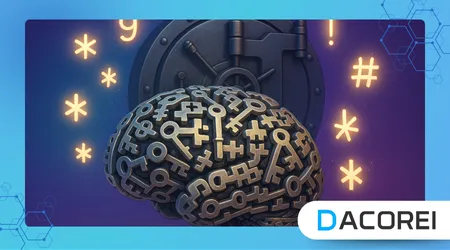
Strong passwords protect your most valuable digital accounts, but many people still struggle to create combinations that are both secure and easy to remember without relying on unsafe shortcuts.
Many users reuse the same password everywhere, increasing the risk that a single data breach can expose countless personal accounts and sensitive information stored across multiple services online.
The rise in cybercrimes shows that password strength directly influences whether hackers can break into profiles and steal identities, financial access, or private conversations through simple automated techniques.
Creating secure access credentials is not only about complexity because passwords must also be memorable enough that users do not resort to risky habits like writing them on sticky notes or saving them insecurely.
Understanding how attackers guess passwords helps you craft combinations that resist brute force attacks, common wordlists, and social engineering tactics commonly used against everyday users around the world.
Anúncios
This article explains practical methods for building strong passwords you can remember, using proven cybersecurity recommendations and memory techniques that drastically reduce the chance of successful attacks online.
Why Password Strength Matters
Weak or predictable passwords allow hackers to access accounts within seconds, using automated tools that rapidly test thousands of simple sequences and common personal details found through social engineering.
Security researchers consistently report that many breaches happen not because systems fail but because humans underestimate the real danger of predictable combinations chosen for convenience rather than adequate protection.
Online services often request stronger credentials because criminals operate at large scale, targeting millions of users simultaneously, hoping someone still uses the word “password” or a name followed by “123”.
A compromised email account can become a master key because attackers can reset passwords for banking apps, social networks, and cloud storage by simply triggering recovery options inside your inbox.
Learning how to improve your password habits significantly increases your safety because every account protected properly becomes far harder for criminals to exploit or manipulate for identity fraud.
++WhatsApp Scams: How to Identify and Avoid Them
How Hackers Guess Your Passwords
Cybersecurity reports such as those from the National Institute of Standards and Technology show that attackers commonly use brute force scripts that test countless combinations extremely quickly before users ever detect suspicious attempts occurring.
Hackers also download massive leaked password databases from the dark web, then try similar variations like adding numbers at the end, assuming people repeat trends or patterns found in previous breaches.
Social engineering also helps criminals guess credentials because users frequently choose words based on birthdays, pet names, sports teams, or favorite artists, easily discovered on public social media profiles.
Attackers automate dictionary attacks that combine familiar words, predictable symbols, and keyboard patterns because these methods often succeed when users choose memorable sequences without enough randomness.
Understanding these tactics encourages choosing unique combinations resistant to guessing because unpredictability greatly increases the complexity required to break into personal accounts across multiple platforms.
Memorable Techniques for Creating Strong Passwords
Many security professionals recommend using long passphrases that combine unexpected words together, making them significantly stronger while remaining easier to remember than short codes with random characters scattered.
To explore official guidance, the Cybersecurity and Infrastructure Security Agency provides detailed best practices explaining how longer phrases reduce vulnerability to common password-cracking tools used by criminals online.
One effective technique uses an entire sentence from a personal memory, then transforms it into a creative acronym by removing vowels, adding symbols, and mixing uppercase letters to improve resilience.
Another method selects four unrelated objects like “pizza”, “cloud”, “bicycle”, and “pyramid”, then converts them into a single phrase that feels memorable but remains extremely difficult for attackers to guess.
Experimenting with imagery, humor, and personalization increases memorability, ensuring users remain confident about recalling their strongest credentials under pressure without relying on insecure written reminders.
Comparison Table: Password Length vs. Security
| Password Type | Length | Difficulty to Crack | Memorability |
|---|---|---|---|
| Simple word | 6–8 characters | Very weak | Easy |
| Random characters | 10–12 characters | Moderate | Hard |
| Passphrase | 16+ characters | Very strong | Easy |
Avoiding Common Mistakes
Research from FTC Consumer Advice highlights that reusing one credential everywhere can allow criminals to enter dozens of linked accounts instantly using automated credential-stuffing attacks.
Replacing “a” with “@” or “s” with “$” only offers minimal improvement because attackers expect these predictable substitutions and include them inside their automated cracking dictionaries.
People often underestimate the risks of saving passwords in plain text emails or unprotected notes because once a device is compromised everything inside becomes accessible to cybercriminals.
Short passwords remain vulnerable even with symbols because length outweighs complexity, and many breaches reveal that attackers can successfully guess combinations that look strong but remain too short.
Every password should avoid including obvious personal details like birthdays or city names, because these elements are often publicly available and easy for attackers to exploit quickly.
Practical Tools That Help You Stay Secure
Password managers allow users to generate strong, unique credentials for every account, storing them securely behind encryption so users only memorize one master combination for daily logins everywhere.
These tools also offer security alerts when leaks occur or old passwords need updates, helping maintain safer digital hygiene even for people with hundreds of online accounts linked to services.
Browser memory should not replace specialized tools because built-in storage features can expose data if devices are infected with malware targeting saved credentials to steal valuable access information.
Some services support multi-factor authentication that requires users to confirm logins with one-time codes or biometric checks, adding extra layers of security beyond passwords alone for critical accounts.
Choosing trusted security apps that store encrypted vaults keeps information safer and prevents unnecessary exposure, especially on shared or mobile devices where risks remain significantly higher each day.
++Best Antivirus Apps: Which One Actually Works?
How to Remember Your Passwords Without Writing Them Down
Creating personal shadow stories links each part of a password to a vivid image, allowing users to recall complex sequences effortlessly through memory association techniques widely used in cognitive training.
Chunking helps break long passphrases into manageable groups, giving your brain fewer elements to remember at once while preserving the full security advantages of length and unpredictable structure.
Saying a passphrase silently during setup builds a short-term memory connection that becomes long-term when repeated occasionally, making recall feel natural instead of stressful under unexpected login prompts.
Users can modify familiar expressions like song lyrics or movie quotes by adding random characters, allowing easy recollection but maintaining strong security because the final phrase becomes unpredictable.
Consistency improves retention, so using secure patterns like unusual grammar or invented slang applied only to private passwords helps keep them memorable without turning into predictable habits.
Conclusion
Strong password habits reduce personal risk by making it extremely difficult for hackers to compromise accounts through automated tools or social engineering attacks that rely on human mistakes.
When you adopt long passphrases, avoid predictable elements, and embrace memory techniques, password management stops feeling like a burden and transforms into a reliable shield against cybercrime.
Security requires awareness and responsibility because every digital account represents an entry point criminals might exploit, making stronger credentials an essential first line of defense for everyone.
Building a routine around secure, memorable passwords empowers users to navigate the online world confidently, knowing their digital identity and personal information remain significantly harder to steal or misuse.
FAQ
1. What is the ideal length for strong passwords?
Most experts recommend at least 16 characters, preferably forming a memorable passphrase using unrelated words.
2. Should I use the same password everywhere?
Never reuse passwords because one breach can expose all linked accounts across many services.
3. Are password managers safe to use?
Yes, reputable managers encrypt stored credentials and help maintain strong security practices without memory overload.
4. Do symbols and numbers still matter?
Yes, but length matters more, so prioritize longer passphrases combined with varied character types for better protection.
5. What if I forget my strong password?
Use recovery options or keep a securely stored encrypted backup through a trusted password manager only.