Anúncios
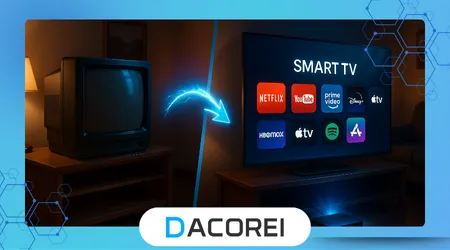
TV Box devices allow you to revive an old television and access online entertainment with a smooth and modern experience.
Turning an outdated TV into a connected device helps families save money while gaining access to streaming apps and new content.
The process offers an affordable alternative to purchasing a brand-new Smart TV and avoids unnecessary electronic waste.
With a simple setup, even a television without built-in apps can provide access to movies, sports, and music streaming services.
Millions of people are adapting older screens using compact devices and low-cost tools available worldwide.
Anúncios
This guide explains how to choose accessories, configure your TV Box, and improve overall performance for better daily use.
1. What Does a TV Box Actually Do?
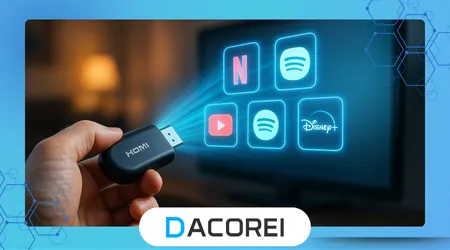
A TV Box transforms any television with an HDMI port into a capable smart entertainment hub, enabling access to streaming platforms, apps, web browsing, and voice assistants without replacing the screen.
These devices often include processors, storage, and Wi-Fi modules that run a modern operating system, delivering performance similar to affordable Smart TVs while allowing continued use of older displays.
A TV Box can enable features like screen casting, Bluetooth headphone support, and home automation control using voice assistants in small living rooms or shared environments.
Families with children often find it useful for controlling what apps can be installed, which offers safety and flexibility for multi-user setups.
This upgrade provides value for households with limited budgets that still want access to HD or 4K content through simple configuration and accessible controls.
++Netflix vs Prime Video: Which One Is Worth It in 2025?
2. Essential Accessories You Need for the Upgrade
To begin, make sure the old television includes an HDMI input, because this port ensures compatibility and stable image transmission for most TV Box models.
If your home router is far away, consider a Wi-Fi extender or an Ethernet adapter to guarantee steady streaming with fewer buffering issues during peak hours.
You can explore detailed compatibility information on the official Android TV page, which explains supported features for certified devices.
A wireless keyboard or remote with voice search helps navigate menus faster and improves comfort for users unfamiliar with touchpad-style remotes.
Finally, a reliable power outlet placement near the television ensures clean wiring installation and a safer environment around children or pets.
++Best Free News Channels on Streaming
3. Step-by-Step: How to Install and Configure a TV Box
Before connecting the device, verify the HDMI cable works properly by testing with another device, because damaged cables frequently cause black screens or intermittent audio.
Plug the TV Box into the HDMI port, select the corresponding input on the television, and follow the on-screen setup instructions with your Wi-Fi credentials and preferred apps.
During installation, visiting Consumer Reports can help you compare recommended streaming players and avoid models known for overheating or unstable software.
Enable automatic updates and security features immediately, because outdated apps may crash frequently and lead to performance degradation over time.
Below is a simple comparison of popular upgrade options:
| Device Type | Price Range | Best For | Needs Internet | App Store |
|---|---|---|---|---|
| TV Box (Android) | Low to medium | Budget flexibility | Yes | Google Play |
| Roku Stick | Low | Ease of use | Yes | Roku Channel Store |
| Apple TV | High | Ecosystem integration | Yes | Apple App Store |
4. Performance Tweaks: Getting the Best Out of Your Old TV
Disable unnecessary animations and limit background apps, because older processors or limited RAM in budget TV Boxes may struggle during multitasking.
If the picture appears washed out or too dark, calibrate brightness and color manually using built-in modes optimized for movies or sports depending on your content preferences.
Streaming services like Netflix provide guidance on improving video quality and preventing bandwidth waste when mid-range routers serve multiple devices in the same household.
Use an Ethernet cable whenever possible, because direct connections avoid signal interference and deliver far better stability during live sports and 4K streaming.
Some models allow temperature monitoring, which helps prevent overheating by adding airflow space behind the device and cleaning dust regularly.
5. When Should You Replace Your TV Instead?
If the television lacks HDMI and only has composite inputs, adapters may reduce image quality to the point that private viewing on mobile devices becomes preferable.
Very old screens with severe brightness loss or burn-in will not display modern content properly, even if apps run smoothly through the TV Box.
When people experience repeated power issues or distorted audio from built-in speakers, repairs can become more expensive than an entry-level Smart TV replacement.
Watching HDR or high frame rate sports will remain limited if the panel does not support these technologies, creating a mismatch between hardware and streaming quality.
Households that require advanced gaming or cinematic performance should consider a long-term upgrade rather than investing further in outdated panels.
++How to Improve Smart TV Picture Quality
6. Choosing the Right TV Box for Your Needs
Entry-level buyers should look for at least 2 GB of RAM and 16 GB of storage, because heavy apps and voice-controlled search features demand more memory over time.
Those who prefer Apple hardware benefit from smooth integration through features such as AirPlay to display family photos, YouTube videos, or smartphone apps on the living room screen.
Users interested in a large library of free channels may choose platforms like Roku, which consistently offer intuitive apps and broad availability across regions.
Professionals working from home often appreciate systems with fast processors and remote-friendly interfaces that simplify switching between news, music, and productivity apps.
Check official certification lists on the device manufacturer’s site to guarantee compatibility with major services, avoiding limitations that appear in unlicensed software.
Conclusion
Repurposing an old television gives families more freedom to enjoy streaming, games, and online services with minimal investment and practical setup requirements.
A well-chosen TV Box delivers strong performance, prolongs the useful life of existing electronics, and reduces environmental impact from unnecessary product replacement.
With careful configuration and small accessories, older screens can provide a reliable entertainment experience that meets modern standards for quality and usability.
This solution empowers people to upgrade sustainably while staying connected to digital culture without overspending on a new Smart TV.
FAQ
1. Can any old television use a TV Box?
Most models with an HDMI port work, but extremely outdated units may need adapters that degrade quality.
2. Do TV Boxes need internet to work?
Streaming and downloading apps require internet, though local media can play offline from USB drives.
3. Is a TV Box better than buying a new Smart TV?
If the screen quality is still good, a TV Box is far cheaper and performs similarly for everyday use.
4. Will a TV Box support 4K on any TV?
The television must support 4K resolution, otherwise the device plays content in the highest supported resolution.
5. Are free streaming apps reliable on older equipment?
Performance depends on hardware power and Wi-Fi stability, so users should adjust settings for better playback.