Anuncios
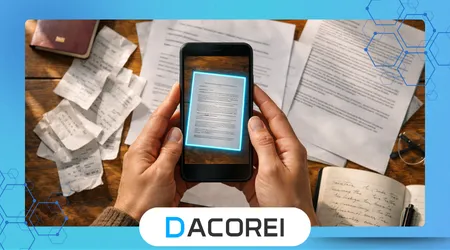
Document scanner apps have transformed smartphones into powerful tools capable of capturing, organizing, and sharing documents without specialized hardware. These applications allow users to convert physical paperwork into digital files using only the phone camera and intelligent software processing.
Many people still rely on traditional scanners, yet daily tasks increasingly require faster digital workflows. Mobile scanning solutions reduce friction by allowing users to digitize receipts, contracts, identification cards, and handwritten notes instantly.
Smartphones today include advanced cameras and machine-learning algorithms that automatically detect document edges and enhance text readability. These capabilities allow scanning apps to produce results that closely resemble files generated by dedicated office scanners.
Professionals, students, and everyday users benefit from the convenience of carrying a portable scanning tool everywhere. Instead of searching for office equipment, users can capture documents immediately whenever important paperwork appears.
Security and document management features also play a central role in modern scanning apps. Many tools include encryption, cloud synchronization, and searchable PDF formats that simplify storage and retrieval.
Anuncios
This article analyzes how document scanner apps work, why they have become essential digital tools, and which features users should evaluate when selecting reliable solutions for scanning documents using only a smartphone camera.
How Mobile Document Scanning Technology Works
Mobile scanning applications rely on computer vision algorithms that analyze images captured through the smartphone camera. These algorithms identify document edges, automatically crop the frame, and correct distortions that occur when photos are taken at an angle.
Perspective correction represents one of the most important features in scanning software. When a document is photographed from an uneven angle, the application digitally straightens the page so that text appears flat and readable.
Advanced image processing also improves lighting and contrast. Many apps automatically remove shadows, adjust brightness, and enhance text clarity to create scans that closely resemble printed documents.
Optical character recognition technology allows scanned documents to become searchable digital files. This capability converts photographed text into machine-readable characters that can be indexed and located quickly within digital archives.
Batch scanning functions simplify the digitization of multi-page documents. Users can capture several pages consecutively and export them as a single organized PDF file without needing separate editing software.
Mobile scanning tools also integrate document classification systems. These systems help categorize files such as receipts, invoices, passports, or notes to make document management more structured.
Cloud synchronization further improves accessibility across devices. When users scan documents, the files automatically upload to storage services so they remain available on computers, tablets, or secondary smartphones.
Security layers often include password protection and encrypted document storage. These safeguards prevent unauthorized access when scanned files contain sensitive financial or personal information.
The combination of camera hardware, artificial intelligence, and cloud infrastructure allows smartphone scanners to replace many traditional document management workflows.
Key Features That Define High-Quality Scanner Apps
High-quality document scanner apps combine image processing precision with intuitive user interfaces. Users expect scanning tools to work quickly while producing clear, professional-looking digital files.
Automatic edge detection stands out as one of the most essential features. The application identifies the boundaries of a page and crops unnecessary background areas without requiring manual adjustments.
Many advanced scanners also include optical character recognition engines. These engines allow users to search for words inside scanned documents and export files as editable text or searchable PDFs.
For users managing receipts or invoices, automatic categorization tools become especially useful. Applications can group scanned documents by type or date, simplifying financial organization.
Reliable scanning apps also support multiple export formats. PDF remains the most common format, but some tools allow exporting images, editable text files, or cloud-compatible document formats.
Several reputable organizations explain the importance of OCR and document digitization technologies in modern workflows, including guidance from the Instituto Nacional de Estándares y Tecnología regarding digital document processing standards.
Below is a simplified comparison of common scanner app features:
| Característica | Purpose | Beneficio para el usuario |
|---|---|---|
| Edge Detection | Automatically identifies document boundaries | Faster scanning workflow |
| OCR Technology | Converts images into searchable text | Easy document retrieval |
| Batch Scanning | Combines multiple pages into one file | Efficient multi-page scanning |
| Cloud Sync | Uploads scans to online storage | Access files anywhere |
| Security Encryption | Protects sensitive documents | Improved privacy |
Interface simplicity remains equally important. Applications designed with minimal steps allow users to capture, process, and export documents within seconds.
Finally, integration with cloud storage services ensures that scanned files remain organized and accessible without requiring manual transfers.
Véase también
Cómo usar aplicaciones para proteger archivos privados con contraseñas o datos biométricos
Aplicaciones que ayudan a mejorar la calidad del sonido en los altavoces de tu teléfono.
Popular Apps Used for Mobile Document Scanning
Several mobile applications have gained global popularity for their ability to scan documents using smartphone cameras. These apps combine automated detection, OCR technology, and cloud integration into streamlined digital workflows.
Adobe Scan stands out as one of the most widely used scanning applications. The software integrates with the Adobe document ecosystem and automatically converts scans into high-quality PDF files.
Microsoft Lens also remains a strong option for users within the Microsoft productivity environment. The app integrates smoothly with Office applications and converts scanned documents into Word, PowerPoint, or PDF formats.
Another widely recognized solution is Google Drive’s built-in scanning feature. Users can capture documents directly within the storage application and instantly save them as organized digital files.
Digital archiving organizations emphasize the growing importance of mobile scanning technologies for long-term document preservation. Guidance from the Library of Congress highlights best practices for maintaining digital document archives.
Many smaller scanning apps also focus on niche features such as receipt tracking or business document management. These tools often include automatic expense categorization for professionals managing financial records.
Mobile scanners continue evolving as smartphone cameras improve resolution and low-light performance. These improvements allow scanning apps to capture clearer images even when documents are photographed in imperfect lighting conditions.
Artificial intelligence now enhances scanning accuracy by automatically detecting page edges and filtering background noise. This technology reduces the need for manual adjustments after capturing a document.
The growing ecosystem of scanning apps demonstrates how smartphones increasingly replace traditional office hardware.
Advantages of Using Smartphone Document Scanners
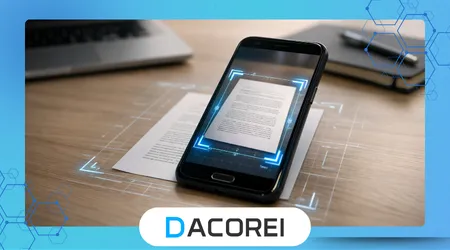
Smartphone document scanners provide immediate convenience compared to traditional scanning equipment. Users can capture documents wherever they are instead of relying on office hardware.
Portability represents one of the most obvious advantages of mobile scanning. A smartphone remains accessible throughout the day, allowing users to digitize documents instantly when paperwork appears.
Speed also plays a critical role in modern document workflows. A scanned document can be captured, converted to PDF, and shared within seconds.
For many professionals, remote work environments require fast document sharing without physical access to office scanners. Mobile scanning applications allow contracts or forms to move between parties digitally without delays.
Digital transformation research from the World Bank highlights how mobile technology improves administrative efficiency in both professional and personal contexts.
Storage efficiency also improves when documents are digitized through mobile scanners. Physical papers can be archived digitally, reducing clutter and improving organization.
Searchable text through OCR technology makes digital documents significantly easier to locate. Users can retrieve files using keywords rather than manually browsing through folders.
Another advantage involves document backup and redundancy. Cloud synchronization ensures that scanned files remain safe even if a device becomes lost or damaged.
These practical benefits explain why mobile document scanners have become essential productivity tools across many industries.
Security and Privacy Considerations When Scanning Documents
While mobile scanning apps provide convenience, users must also evaluate privacy and security implications. Documents often contain sensitive personal, legal, or financial information.
Encryption plays a key role in protecting scanned files. Secure applications encrypt stored documents and data transfers to prevent unauthorized interception.
Users should also evaluate how apps handle cloud storage integration. Some applications automatically upload scanned documents to external servers, which may introduce additional privacy considerations.
Permission management represents another important factor. Scanner apps typically request camera access, file storage permissions, and sometimes cloud account authorization.
Users should review privacy policies carefully before storing sensitive documents inside third-party scanning platforms. Reputable applications clearly explain how data is stored and whether information is shared with external services.
Local storage options can reduce risk for highly confidential documents. Some scanner apps allow files to remain stored directly on the device instead of external cloud servers.
Two-factor authentication and password-protected PDFs also strengthen document protection. These features prevent unauthorized individuals from opening sensitive scanned files.
Organizations that handle regulated information often require encrypted document management workflows. Mobile scanning tools increasingly support compliance requirements for secure data handling.
Understanding these privacy factors ensures that convenience does not compromise document security.
Practical Tips for Getting the Best Scan Quality
Capturing high-quality scans requires attention to several practical details. Even advanced scanning apps perform best when users follow basic document capture techniques.
Lighting conditions significantly influence scan clarity. Natural light or evenly distributed indoor lighting reduces shadows and improves text readability in scanned documents.
Placing documents on a flat, contrasting background helps scanning apps detect page edges accurately. A plain table or dark surface often produces the best results.
Holding the smartphone steady during capture prevents motion blur. Many scanning apps also include stabilization features that automatically sharpen images.
Maintaining the camera directly above the document reduces distortion. Although apps can correct perspective errors, capturing images from a straight angle produces the most accurate results.
Cleaning the smartphone camera lens also improves scan quality. Dust or fingerprints can reduce sharpness and introduce unwanted blur in captured images.
Scanning multi-page documents sequentially helps maintain consistent formatting. Most apps allow users to combine multiple pages into a single organized digital file.
Reviewing the scan before exporting ensures that all text remains readable. Adjusting contrast or brightness after capture can significantly improve the final document.
Applying these simple practices helps mobile scanning apps produce professional-quality digital documents.
Conclusión
Smartphones have evolved far beyond their original communication role. Modern devices now function as portable productivity tools capable of replacing traditional office equipment.
Document scanner apps illustrate this transformation clearly. A simple phone camera combined with intelligent software can convert physical paperwork into organized digital files.
The convenience of scanning documents anywhere dramatically improves everyday workflows. Students digitize lecture notes, professionals scan contracts, and travelers capture receipts for expense tracking.
Advanced technologies such as OCR and automated edge detection continue improving scan accuracy. These tools allow mobile scans to rival files produced by conventional office scanners.
Cloud synchronization adds another layer of convenience for modern users. Scanned files remain accessible across devices, enabling seamless collaboration and document sharing.
Security features also continue evolving to protect sensitive information. Encryption, password protection, and secure cloud storage reduce risks associated with digital document management.
Mobile scanning technology will likely continue expanding as smartphone cameras improve. Higher resolution sensors and stronger artificial intelligence will further refine scanning accuracy.
As digital documentation becomes the standard for both personal and professional environments, scanning apps will remain essential tools for managing physical paperwork efficiently.
Users who select reliable scanning applications gain a powerful advantage in organizing, sharing, and protecting important documents.
Ultimately, document scanner apps represent one of the clearest examples of how smartphones simplify everyday digital tasks.
Preguntas frecuentes
1. What are document scanner apps used for?
Document scanner apps allow users to capture images of paper documents using a smartphone camera and convert them into digital files such as PDFs or searchable text documents.
2. Do document scanner apps replace traditional scanners?
In many everyday situations they can replace traditional scanners, especially for single pages, receipts, notes, or forms that require quick digitization.
3. What is OCR in scanning apps?
OCR stands for Optical Character Recognition, a technology that converts text inside scanned images into searchable and editable digital text.
4. Are scanned documents legally valid?
In many professional contexts scanned documents are accepted as digital copies, although legal validity may depend on specific regulations or document requirements.
5. Do scanning apps work without internet access?
Most scanning features work offline because they rely on the smartphone camera, although cloud storage and sharing functions typically require internet connectivity.
6. Are document scanner apps secure?
Security varies by application, but many reputable apps use encryption, password protection, and secure cloud storage to protect scanned files.
7. Can scanner apps organize documents automatically?
Yes, many apps categorize documents using AI systems that recognize receipts, contracts, invoices, or identification cards.
8. What makes a good mobile scanner app?
A strong scanner app includes accurate edge detection, OCR capability, cloud synchronization, export flexibility, and reliable privacy protections.