Anuncios
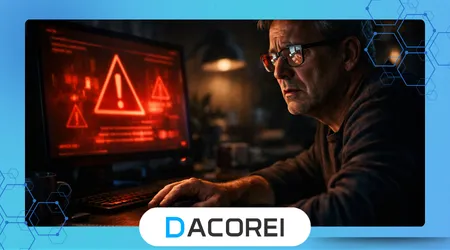
Tech support scams have quietly evolved into one of the most effective digital traps targeting everyday users who rely on their phones and computers for nearly everything. A simple pop-up warning or unexpected call can escalate into full device control within minutes, often without the user realizing how quickly things went wrong.
It usually starts with something that feels urgent and believable. A message claims your device is infected, your bank account is at risk, or your files are about to be deleted. That sense of urgency pushes people to act fast, often before they have time to question what is really happening.
Many users fall into this pattern not because they lack knowledge, but because the scam is designed to mimic real systems and trusted brands. The interface looks convincing, the language sounds technical, and the instructions feel authoritative. In that moment, it feels safer to follow directions than to ignore the warning.
Understanding how these scams operate and what tools or behaviors can prevent them is critical today. This article breaks down how users are manipulated, what actually happens behind the scenes, and how to make smarter decisions when facing these situations.
When a “Warning” Isn’t What It Seems
One of the most common scenarios begins with a sudden alert that takes over the screen. It may include flashing colors, loud sounds, or a fake system message claiming your device is compromised. The message often insists that you must call a number immediately or risk permanent damage.
Anuncios
A quick self-check reveals the pattern. The message prevents normal interaction, blocks closing the browser, and repeats warnings in aggressive language. Many users attempt to fix it by following the instructions rather than stepping back, which is exactly what the attacker expects.
A typical mistake is assuming that a real operating system would behave this way. In reality, legitimate systems do not lock your screen with phone numbers or demand immediate contact with support agents. The urgency is artificial, but it feels real in the moment.
This is where users lose control. The moment they call or click, the scam transitions from passive warning to active manipulation, often leading directly to remote access requests.
How Scammers Convince Users to Grant Access
Once contact is established, the interaction becomes more structured. The scammer introduces themselves as a technician, often using a common name and referencing well-known companies. They guide the user step by step, creating a sense of professionalism and trust.
They typically ask the user to install a remote access tool under the explanation that it will “diagnose the problem.” This is where the real compromise begins. By following instructions, the user unknowingly hands over full control of their device.
What makes this effective is the pacing. Scammers do not rush immediately into malicious actions. Instead, they simulate scanning processes, show fake error logs, and explain technical issues in simple language. This builds confidence and reduces suspicion.
A less obvious tactic involves mirroring the user’s own behavior. If the user hesitates, the scammer reassures them calmly. If the user seems worried, the scammer increases urgency. This adaptive approach is what makes these interactions so difficult to recognize in real time.
Tools Commonly Used in These Scams
Remote access software itself is not malicious. In fact, it is widely used by legitimate IT professionals. The issue lies in how these tools are introduced and used without proper verification.
Below is a comparison of commonly exploited tools and their legitimate context:
| Herramienta / Aplicación | Característica principal | Mejor caso de uso | Compatibilidad de la plataforma | Gratis o de pago |
|---|---|---|---|---|
| TeamViewer | Full remote control | IT support for businesses | Windows, Mac, Mobile | Freemium |
| AnyDesk | Lightweight remote access | Quick remote troubleshooting | Multiplataforma | Freemium |
| Chrome Remote Desktop | Browser-based control | Personal device access | Chrome-based systems | Gratis |
| Zoho Assist | Managed remote sessions | Professional remote support | Multi-platform | Pagado |
In legitimate scenarios, these tools are installed with prior knowledge, usually initiated by the user or a trusted service provider. In scams, the installation is driven by fear and urgency.
According to the Federal Trade Commission, many reported fraud cases involve remote access tools being used after deceptive contact. You can review the FTC’s official consumer guidance here: FTC Consumer Advice: How To Spot, Avoid, and Report Tech Support Scams.
Ver también:
Los riesgos de conectar tus cuentas a demasiadas aplicaciones
Cómo proteger sus cuentas de almacenamiento en la nube del acceso no autorizado
Es Posible que estén Vigilando tu Celular AHORA MISMO
Ranking the Most Common Scam Approaches
Different strategies are used depending on the target audience, but some consistently perform better due to their psychological impact.
- Fake virus alerts with full-screen takeover
These create immediate panic and force action. They are highly effective because they simulate system-level warnings. - Cold calls posing as tech companies
Less effective than visual alerts, but still successful among users who trust phone-based communication. - Email-based warnings with support links
These rely on delayed interaction and are less urgent, but still capture users who are already concerned about security. - Pop-up ads disguised as system messages
Often overlooked, but still dangerous when combined with aggressive messaging and sound effects.
The ranking reflects real-world outcomes. Visual urgency combined with system imitation tends to outperform slower, text-based approaches.
Cómo se ve el uso real paso a paso
A typical case begins with a user browsing a website when a sudden alert appears. The screen freezes, and a message warns about malware. The user attempts to close it but fails, increasing frustration.
They follow the instruction to call a number. The person on the other end speaks clearly, uses technical terms, and asks them to download a remote tool. Within minutes, the scammer has access.
At first, nothing harmful appears to happen. The scammer navigates files, opens system logs, and points out “problems.” Eventually, they request payment for a fix or silently install additional software.
After the session ends, the user may notice unusual behavior such as slow performance, unknown programs, or unauthorized transactions. The damage often extends beyond what was visible during the interaction.
Comparing Legitimate Support vs Scam Behavior
Real technical support operates under very different conditions. Understanding these differences removes uncertainty when making decisions.
Legitimate services require verification, such as account login or support tickets. They do not initiate unsolicited contact or demand immediate remote access without context.
Scammers, on the other hand, rely on urgency and authority. They avoid verification steps and push users toward quick decisions. Their explanations are simplified but often vague, avoiding deeper technical scrutiny.
In practice, legitimate support interactions feel slower and more structured. Scam interactions feel urgent, direct, and emotionally charged. This contrast becomes clear once you have experienced both.
The Reality Behind Protection Tools
Security apps and antivirus software can help, but they are not a complete solution. Many scams occur outside the scope of traditional detection because they rely on user actions rather than malware alone.
Even well-known protection tools may not flag a remote session initiated by the user. From a technical perspective, nothing abnormal is happening. The system sees authorized access, not an intrusion.
A deeper insight is that behavioral awareness often outperforms software protection in these scenarios. Users who recognize patterns of manipulation are significantly less likely to be affected.
The Cybersecurity and Infrastructure Security Agency explains this clearly in its official recommendations on social engineering risks:
👉 https://www.cisa.gov/news-events/news/avoiding-social-engineering-and-phishing-attacks
Risks, Privacy, and How to Stay in Control
Granting remote access exposes more than just files. It can reveal saved passwords, personal conversations, and financial data. In some cases, attackers install persistent tools that allow them to reconnect later without permission.
A common oversight is assuming that closing the session ends the risk. In reality, if additional software was installed, access may continue silently. This is why post-incident actions are just as important as prevention.
Safe practices include uninstalling unknown software, changing passwords immediately, and reviewing account activity. These steps reduce the risk of long-term damage.
Trust should always be verified. Any request for remote access should be treated as high-risk unless it originates from a confirmed and initiated support process. This mindset alone prevents the majority of incidents.
Conclusión
Tech support scams succeed because they combine technical illusion with psychological pressure. The interface looks real, the message feels urgent, and the interaction builds trust quickly, leading users to act without hesitation.
Recognizing these patterns changes the outcome entirely. Once you understand how urgency is manufactured and how control is transferred, the manipulation becomes easier to detect and avoid.
Tools themselves are not the problem. The context in which they are used determines whether they help or harm. Knowing when and why to use them is what separates safe usage from vulnerability.
Practical awareness delivers the fastest protection. Small decisions, such as refusing unsolicited support or questioning urgent warnings, prevent situations that software alone cannot handle.
Maintaining control ultimately comes down to recognizing that legitimate systems do not pressure you into immediate action. That single insight eliminates most of the risk before it begins.
Preguntas frecuentes
1. How do tech support scams usually start?
They often begin with fake alerts, pop-ups, or unsolicited calls that create urgency and push users to contact a “support” agent.
2. Is remote access software always dangerous?
No, tools like TeamViewer or AnyDesk are legitimate, but become risky when installed under pressure or without verification.
3. Can antivirus software stop these scams?
Not always, because many scams rely on user actions rather than detectable malware.
4. What should I do if I gave remote access to someone?
Immediately disconnect, uninstall unknown programs, change passwords, and monitor accounts for unusual activity.
5. How can I verify if support is legitimate?
Only trust support that you initiated through official company channels, not contacts provided in pop-ups or unsolicited messages.