Anúncios
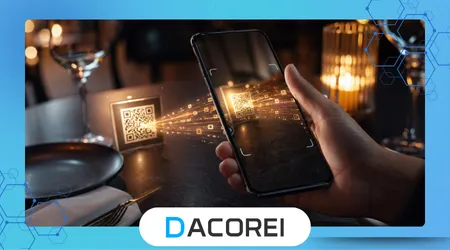
Smartphones today come packed with built-in features, yet many users still rely on QR code scanner apps to handle everyday tasks like accessing menus, logging into services, or opening secure links. The problem is that not all scanners work the same way, and choosing the wrong one can slow you down or expose you to unnecessary risks.
It usually happens in a rushed moment. You point your camera at a QR code, expecting instant access, but the phone hesitates, misreads the code, or opens something completely unrelated. That small delay is frustrating, especially when you’re trying to pay, check in, or access important information quickly.
This issue affects more people than expected because QR codes are now everywhere, from restaurants and parking meters to banking apps and authentication systems. What should be a seamless experience often becomes inconsistent depending on the app or device being used.
This article explores practical solutions to turn your phone into a reliable, fast, and secure QR scanner, focusing on real-world performance, usability, and decision-making rather than just features.
Anúncios
When QR Scanning Fails in Everyday Situations
Most users assume QR scanning is a solved problem, but real-world usage tells a different story. The failures rarely come from the code itself. They come from how apps process lighting, focus, and data interpretation under pressure.
A common scenario is scanning a code in low light, like inside a restaurant or parking garage. Some apps struggle to adjust exposure quickly, forcing users to reposition their phone multiple times. That friction builds up over repeated use.
Another overlooked issue is background interference. Shiny surfaces, reflections, or slightly damaged codes can confuse lower-quality scanners. Instead of recognizing patterns instantly, they lag or fail entirely.
There’s also the silent risk of misdirection. Many users don’t realize that some scanners automatically open links without previewing them, which can lead to phishing pages or malicious redirects. This is one of the most underestimated weaknesses in casual QR usage.
If scanning ever feels slower than it should, inconsistent, or slightly unreliable, it’s usually not the phone. It’s the scanning tool.
What Actually Makes a QR Scanner App Reliable
The difference between a good and a bad QR scanner isn’t obvious at first glance. Most apps look similar, but performance differences become clear under real conditions.
Speed is the first factor. High-quality apps recognize codes almost instantly, even before the camera fully stabilizes. This comes from optimized image processing rather than hardware alone.
Accuracy follows closely. Better apps don’t just scan—they validate patterns more intelligently, reducing false readings and avoiding repeated attempts.
Another critical element is link handling. A reliable scanner shows a preview of the destination before opening it. This small detail drastically improves user control and safety.
Interestingly, one of the less discussed aspects is offline capability. Some of the best apps can decode QR codes without internet access, which becomes essential in places with weak connectivity.
De acordo com o Google Safe Browsing official page, Google helps identify unsafe websites and warns users before they visit dangerous pages, which reinforces why QR scanner apps that preview or check links can be safer than apps that open every code automatically.
Top QR Code Scanner Apps Worth Using
Not every app deserves a spot on your phone. After testing across different environments and use cases, a few stand out for practical reliability.
QR Code Reader by Scan works well for users who prioritize speed. It performs consistently in low-light conditions and rarely misses detection, though its interface feels slightly dated.
Kaspersky QR Scanner focuses heavily on security. It checks links against known threat databases before opening them, making it ideal for users who scan codes in public or unfamiliar environments.
NeoReader offers a balanced experience. It supports multiple code formats and works smoothly across devices, though it may feel slower in comparison to top performers.
QR & Barcode Scanner by Gamma Play is one of the simplest options. It launches quickly and scans efficiently, but lacks deeper security layers or advanced settings.
Each of these apps serves a different type of user. The best choice depends less on features and more on how and where you scan codes daily.
Veja também:
Aplicativos que ajudam você a gravar automaticamente chamadas telefônicas importantes
Aplicativos que ajudam a melhorar a velocidade e o sinal do Wi-Fi no seu celular.
Os melhores aplicativos para encontrar e excluir fotos duplicadas no seu celular.
Ranking the Best QR Scanner Apps Based on Real Performance
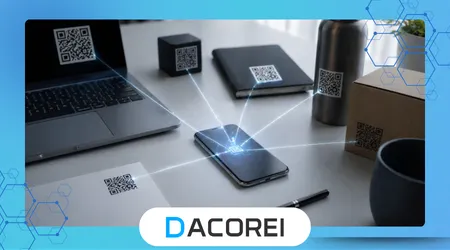
When comparing apps based on real-world use rather than marketing claims, a clear hierarchy emerges.
First place goes to Kaspersky QR Scanner due to its security-first approach. In environments where QR codes are widely shared, this extra protection outweighs slight speed trade-offs.
Second is QR Code Reader by Scan, which excels in speed and reliability under pressure. It’s particularly effective for quick interactions like payments or check-ins.
Third is NeoReader, offering flexibility across different code types, making it useful for users dealing with more than just QR formats.
Fourth is Gamma Play’s scanner, which remains a solid entry-level option but lacks depth for advanced use cases.
This ranking prioritizes practical outcomes. The fastest app isn’t always the best if it sacrifices safety, and the most secure isn’t ideal if it slows down frequent interactions.
Comparing Features That Actually Matter
| Ferramenta/Aplicativo | Característica principal | Melhor caso de uso | Compatibilidade da plataforma | Gratuito ou pago |
|---|---|---|---|---|
| Kaspersky QR Scanner | Security link verification | Public scanning, unknown sources | Android, iOS | Livre |
| QR Code Reader by Scan | Fast detection | Daily quick scans | Android, iOS | Livre |
| NeoReader | Multi-format support | Mixed barcode environments | Android, iOS | Livre |
| Gamma Play Scanner | Lightweight performance | Simple everyday use | Android | Livre |
This comparison highlights a pattern often missed: the “best” app depends on context. Users who frequently scan codes in controlled environments can prioritize speed, while those scanning in public should prioritize safety.
Real-World Usage: From Friction to Instant Access
Imagine entering a restaurant where the menu is only accessible via QR code. With a slow scanner, you adjust your phone repeatedly, waiting for recognition. It breaks the flow of a simple action.
Now contrast that with a high-performance app. You raise your phone, and the code is detected instantly, even before you fully center it. The difference feels subtle but accumulates over time.
In payment scenarios, this difference becomes even more critical. Faster scanning reduces transaction delays and improves confidence, especially in time-sensitive situations.
Experienced users often develop a habit of slightly tilting their phone rather than pointing it directly at the code. This reduces glare and improves recognition speed, a small but effective technique rarely mentioned in guides.
Understanding the Differences Between Built-In and Third-Party Scanners
Many smartphones already include QR scanning within their default camera app, but performance varies significantly between devices.
Built-in scanners are convenient but often limited. They may lack link previews, advanced recognition, or security checks. For casual use, they work fine, but limitations appear in more demanding scenarios.
Third-party apps, on the other hand, offer more control. They often include scanning history, security alerts, and customization options that built-in tools lack.
A subtle but important difference is how apps handle repeated scans. Dedicated scanners optimize for quick reactivation, while built-in tools may require reopening or refocusing, slowing down frequent use.
The Reality Behind QR Scanner Apps
Despite improvements, QR scanner apps are not perfect. They cannot fix poorly printed codes, extreme lighting conditions, or damaged surfaces.
Users often assume that a failed scan means the app is broken, but in many cases, the issue lies with the code itself. Overexposure, distortion, or low resolution can make scanning difficult regardless of the tool used.
Another misconception is that all QR codes are safe. In reality, they can redirect to malicious pages just like any link. This is why app behavior matters as much as scanning speed.
Pesquisas da National Institute of Standards and Technology (NIST) on cybersecurity best practices emphasizes verifying digital interactions before engagement, reinforcing the importance of cautious QR usage.
Risks, Privacy, and Safe Scanning Practices
QR codes can act as hidden gateways to unknown content. When scanned without verification, they can expose users to phishing attacks or data collection schemes.
One of the most effective safety practices is using apps that display link previews before opening them. This allows users to verify domains and avoid suspicious destinations.
Another risk comes from permissions. Some scanner apps request unnecessary access to contacts, storage, or location data. These requests should be treated with caution, as they often exceed the app’s core function.
Experienced users tend to favor minimal-permission apps or those from well-known security providers. Trust is built not just on functionality, but on how transparently the app handles data.
Conclusão
Turning your phone into a reliable QR scanner is less about downloading any app and more about choosing the right tool for your real-world needs.
Speed matters in everyday interactions, but security becomes critical in unfamiliar environments. Balancing both factors leads to a smoother and safer experience.
The difference between frustration and efficiency often comes down to small details, such as instant detection, link previews, and consistent performance under imperfect conditions.
Users who understand these nuances make better decisions, avoiding common pitfalls and unnecessary risks associated with QR scanning.
Choosing the right app ultimately improves not just convenience, but confidence in how you interact with digital environments daily.
Perguntas frequentes
1. Do I really need a QR scanner app if my phone already has one?
Built-in scanners are convenient, but dedicated apps often provide faster performance and better security features.
2. Are QR codes safe to scan?
Not always. Some can redirect to malicious websites, so it’s important to use apps that preview links before opening them.
3. Which app is best for security?
Kaspersky QR Scanner stands out for its ability to verify links against known threat databases.
4. Why do some QR codes fail to scan?
Poor lighting, damaged codes, or low-quality printing can interfere with detection regardless of the app used.
5. Do QR scanner apps require internet access?
Some features, like security checks, need internet, but many apps can scan and decode codes offline.