Anúncios
Smart TV software updates often appear at inconvenient times, right when you sit down to watch something. The screen freezes, a notification pops up, and suddenly your device needs to restart before you can continue. This situation has become increasingly common as televisions behave more like computers than simple displays.
Many users ignore these updates or delay them for weeks, assuming nothing important will change. However, this hesitation often leads to performance issues, app crashes, or even missing features that others are already using without realizing the difference. What feels optional is often essential for the device to function properly.
The reality is that modern TVs rely heavily on software to manage streaming, connectivity, and performance. Without regular updates, even high-end models begin to feel slow, outdated, and inconsistent. Small delays when opening apps or switching inputs are usually the first signs.
This article breaks down why these updates exist, what actually changes after installing them, and how to make smarter decisions about when and how to update your TV without disrupting your experience.
When Your TV Starts Acting “Off” Without a Clear Reason
It usually begins with subtle changes that are easy to dismiss. Apps take slightly longer to open, menus feel less responsive, and streaming quality occasionally drops even when your internet is stable. Most users assume it’s a connection issue, but the root cause often sits inside the system itself.
Anúncios
A common scenario involves opening a streaming app that used to load instantly but now lags or freezes briefly. You restart the TV, things improve temporarily, and then the problem returns days later. This pattern is one of the clearest signs that the system software is outdated or struggling to manage newer app versions.
Another overlooked signal is when certain apps stop receiving updates or display compatibility warnings. This happens because developers optimize their apps for newer system versions, gradually leaving older software behind. Over time, this creates a mismatch between your TV and the services you rely on.
Many people also disable automatic updates to avoid interruptions, not realizing they are trading short-term convenience for long-term instability. What seems like a harmless choice often leads to a fragmented experience where small issues accumulate until the device feels unreliable.
What Actually Changes After a Smart TV Update
Updates are rarely just about visual improvements or minor bug fixes. In practice, they reshape how the system interacts with apps, hardware, and external services. One of the most noticeable changes is improved system optimization, which affects how quickly apps open and how smoothly menus respond.
Security enhancements are another critical component. Smart TVs are connected devices that handle user data, including login credentials for streaming platforms. According to guidance from the Federal Trade Commission, connected devices should be regularly updated to protect against vulnerabilities that can expose personal information, as explained in the FTC’s consumer guidance on securing internet-connected devices at home. These updates often patch issues that users never see but that could be exploited if ignored.
In some cases, updates introduce entirely new features. Voice control improvements, redesigned interfaces, or support for new streaming formats like HDR variations can appear after a single update. However, these additions are not always obvious unless you actively explore the system after installing them.
There is also a less visible but equally important change: compatibility maintenance. Streaming platforms frequently update their apps, and TVs must keep up. Without system updates, certain services may gradually degrade or stop working altogether.
Tools That Help You Manage Updates and Performance
Managing updates manually can feel inconsistent, especially when different brands handle them differently. Some tools and platforms simplify this process by providing better control and visibility.
The Samsung SmartThings app allows users to monitor and manage connected devices, including TVs. It is particularly useful for those who want centralized control and notifications about updates without relying solely on the TV interface.
The Google Home ecosystem provides similar functionality for Android-based TVs. It integrates with system-level updates and allows users to check device status remotely, which is helpful when managing multiple devices in the same environment.
For more advanced users, developer settings available on platforms like Android TV offer deeper control over background processes and update behavior. However, these settings require caution, as improper changes can affect stability.
Below is a practical comparison of common tools used to manage Smart TV software updates:
| Tool / App | Main Feature | Best Use Case | Platform Compatibility | Free or Paid |
|---|---|---|---|---|
| Samsung SmartThings | Device monitoring and updates | Samsung TV users managing multiple devices | Samsung Smart TVs | Free |
| Google Home | Centralized device control | Android TV ecosystem users | Android TV / Google TV | Free |
| TV System Settings | Native update management | Basic users who prefer simplicity | All Smart TVs | Free |
| Developer Options | Advanced system control | Tech-savvy users optimizing performance | Android-based TVs | Free |
Each option serves a different type of user. Simpler tools are sufficient for most people, while advanced controls are better suited for those who understand system behavior.
See Also
What Happens Behind the Scenes When You Press Play on a Streaming App
How to Organize Your Streaming Apps to Find Movies and Shows Faster
Why Some Streaming Apps Consume More Internet Data Than Others
Ranking the Most Noticeable Improvements After Updates
Not all updates deliver the same impact, but certain improvements consistently stand out based on real-world usage.
- Performance Optimization
This is usually the most noticeable change. Faster navigation, quicker app launches, and smoother transitions make the entire experience feel refreshed. It often feels like a new device without any hardware changes. - App Compatibility Fixes
When apps stop crashing or freezing after an update, it becomes clear how critical compatibility updates are. This improvement is especially relevant for streaming-heavy users. - Security Enhancements
Although less visible, these updates are essential. They protect user data and prevent unauthorized access, which is increasingly important as TVs become more connected. - Interface Changes
Visual updates can improve usability, but they sometimes require adjustment. Some users find new layouts confusing at first, even if they are objectively better. - New Features
These are the least predictable. While occasionally valuable, they are often secondary to performance and stability improvements.
This ranking reflects practical impact rather than marketing emphasis, which often prioritizes new features over core functionality.
What Real Usage Looks Like Before and After Updates
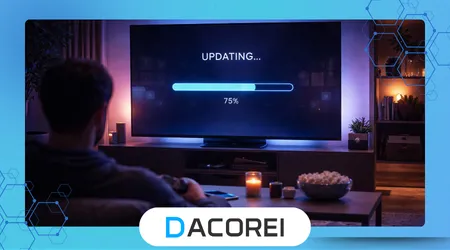
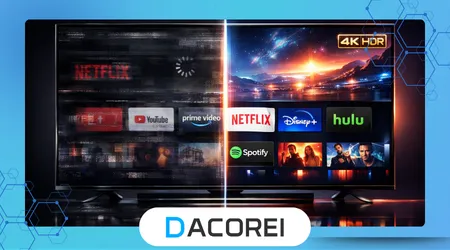
In everyday scenarios, the difference between an updated and outdated TV becomes clear quickly. Before updating, users often experience delays when switching between apps, occasional buffering despite strong internet, and random glitches that seem difficult to explain.
After installing updates, the same device typically feels more responsive. Apps open faster, navigation becomes smoother, and overall stability improves. These changes are subtle but consistent, which is why many users underestimate their importance until they experience the difference directly.
One common example involves streaming platforms. A user might notice that a movie takes longer to start or buffers unexpectedly. After updating the system, playback becomes stable again without any changes to the internet connection. This indicates that the issue was software-related, not network-related.
Another practical scenario is voice control. Updates often refine how voice commands are processed, making interactions faster and more accurate. This is particularly noticeable for users who rely on voice navigation regularly.
Choosing Between Automatic and Manual Updates
The decision between automatic and manual updates depends on how you use your TV. Automatic updates are ideal for users who want a seamless experience without worrying about system maintenance. They ensure that the device remains secure and compatible at all times.
Manual updates, on the other hand, offer more control. They allow users to avoid interruptions during important moments, such as watching live content. However, this approach requires discipline, as delaying updates for too long can lead to performance issues.
In practice, most experienced users prefer automatic updates with occasional manual checks. This hybrid approach balances convenience with awareness, ensuring that updates happen without completely losing control over timing.
The Reality Behind Smart TV Updates
Despite their benefits, updates are not always perfect. Some introduce minor bugs or change the interface in ways that users do not immediately appreciate. This can create the impression that updates make things worse, even when they improve overall performance.
It is also important to understand that updates cannot fix hardware limitations. An older TV will not suddenly become as fast as a newer model, even with the latest software. Updates optimize performance but cannot overcome aging components.
According to documentation from the Android Developers platform, system updates are designed to improve compatibility and security rather than fundamentally alter hardware capabilities, which is explained in detail in their official developer documentation at Android Developers performance and system behavior documentation. This distinction helps set realistic expectations for users.
Another misconception is that skipping updates keeps the system stable. In reality, the opposite is true. Over time, outdated software becomes less compatible with modern apps, leading to more frequent issues.
Risks, Privacy, and Safe Update Practices
Smart TVs collect and process data to deliver personalized recommendations and improve user experience. Updates often modify how this data is handled, which makes privacy an important consideration.
One potential risk is installing updates from unofficial sources or interrupting the update process. This can lead to system corruption or security vulnerabilities. Always rely on official update channels provided by the manufacturer.
It is also advisable to review privacy settings after major updates. Some updates reset preferences or introduce new options that affect data collection. Taking a few minutes to check these settings ensures that your preferences remain intact.
Another practical step is avoiding updates during unstable power conditions. Interruptions during installation can cause serious issues that require technical support to resolve.
Conclusion
Smart TV software updates are not just routine maintenance; they are essential for keeping the device functional, secure, and compatible with modern services. Ignoring them often leads to gradual performance decline that many users misinterpret as hardware failure.
The most noticeable improvements typically involve speed and stability rather than flashy features. These changes directly affect everyday use, making updates one of the simplest ways to improve your viewing experience without additional cost.
Choosing the right update strategy depends on your habits. Automatic updates offer convenience and reliability, while manual control provides flexibility. The key is consistency, ensuring that updates are not postponed indefinitely.
Understanding what updates actually do removes much of the uncertainty around them. Instead of viewing them as interruptions, they become part of maintaining a smooth and reliable system.
Keeping your TV updated is ultimately about preserving performance over time. Small improvements accumulate, preventing the slow decline that turns a good device into a frustrating one.
FAQ
1. Why does my Smart TV ask for updates so often?
Because apps and system components are constantly evolving, requiring frequent updates to maintain compatibility and security.
2. Can updates make my TV slower?
In rare cases, poorly optimized updates can cause temporary issues, but most updates improve performance over time.
3. Is it safe to skip updates?
Skipping updates occasionally is fine, but long-term neglect can lead to security risks and app incompatibility.
4. Do updates add new features or just fix problems?
They do both. Some updates introduce new features, while others focus on improving stability and fixing bugs.
5. Should I leave automatic updates enabled?
Yes, for most users, automatic updates ensure consistent performance and reduce the risk of outdated software.