Anúncios
Watching a movie used to feel simple: sit down, press play, and follow the story. Today, many people constantly adjust the volume because conversations sound muffled while explosions, music, or background effects suddenly become overwhelming. If you have searched for ways to Improve TV dialogue clarity, you are far from alone.
Streaming platforms, modern sound mixing, and ultra-thin television speakers have changed how audio behaves inside living rooms. A scene can sound perfectly balanced in a professional studio but become frustratingly uneven on a regular TV placed in a noisy home environment. Many users assume their hearing is getting worse when the real issue is often the television setup itself.
The problem becomes even more noticeable late at night. People lower the master volume to avoid disturbing others, but dialogues disappear first while bass-heavy effects remain strong. This creates the exhausting cycle of constantly reaching for the remote during every episode or movie.
Fortunately, clearer voices usually do not require expensive equipment or advanced technical knowledge. Small audio adjustments, better positioning, and the right companion tools can dramatically improve the listening experience without replacing your television.
Anúncios
The Hidden Reasons Voices Sound Muddy on Modern TVs
One of the most common mistakes people make is assuming the TV volume alone controls clarity. In reality, dialogue quality depends more on frequency balance than loudness. Many televisions boost cinematic bass and ambient effects because manufacturers want demos in stores to sound “bigger” and more impressive.
A quick self-check reveals the issue immediately. If you often understand dialogue better when subtitles are enabled, your problem is probably not hearing loss. It is usually poor center-frequency reproduction combined with aggressive sound processing.
Another overlooked factor is speaker placement. Ultra-thin televisions often direct speakers downward or backward instead of toward the viewer. When the TV sits inside a cabinet or close to a wall, voices bounce unpredictably around the room. Hard surfaces such as tile floors and glass furniture worsen the effect because reflections blur consonants.
Streaming compression also contributes more than most people realize. Dialogue tracks on heavily compressed streams sometimes lose subtle vocal details. Users often blame the television when the actual limitation comes from bitrate optimization used by streaming services during peak traffic periods.
In practical testing, many people unknowingly activate audio modes designed for sports or action content. Those presets increase crowd noise, bass, and environmental effects while pushing speech frequencies deeper into the mix. The result sounds dramatic at first but becomes tiring during long viewing sessions.
Small TV Settings That Usually Deliver Immediate Results
The fastest improvement often comes from disabling unnecessary sound enhancements. Features labeled “Virtual Surround,” “Cinema Enhancement,” or “Dynamic Sound Expansion” frequently widen the soundstage at the expense of vocal precision.
Switching the audio preset to “Standard,” “Speech,” or “Clear Voice” can immediately improve separation between dialogue and background effects. Some brands hide these options deeper inside advanced sound menus, which is why many users never discover them.
A surprisingly effective adjustment involves lowering bass slightly instead of raising treble aggressively. Excessive bass masks speech frequencies around the human vocal range. Reducing low-end output by just a few levels often creates cleaner dialogue without making voices sound harsh.
Room position matters more than expensive hardware in many cases. People sitting too far off-center frequently lose clarity because TV speakers are optimized for direct forward listening. Even rotating the television slightly toward the seating position can produce noticeable improvement.
According to the audio accessibility guidance provided by the World Wide Web Consortium accessibility standards for media content, speech intelligibility improves significantly when unnecessary background processing and competing audio layers are minimized. That recommendation mirrors what many experienced home users observe in real environments.
Another practical adjustment involves turning off automatic volume leveling when available. While the feature aims to stabilize loudness between scenes, some televisions compress dialogue dynamics so aggressively that voices lose natural detail.
Which Audio Tools Actually Help in Real Homes
Not every solution requires buying a premium sound system. Some tools are genuinely useful, while others mainly add complexity.
| Tool / App | Main Feature | Best Use Case | Platform Compatibility | Free or Paid |
|---|---|---|---|---|
| Roku Speech Clarity | Enhances vocal frequencies | Streaming-heavy households | Roku TVs and devices | Free |
| ZVOX AccuVoice | Dedicated voice isolation | Older viewers and dialogue-heavy content | External speaker system | Paid |
| Apple TV Enhance Dialogue | AI-assisted speech prioritization | Apple ecosystem users | Apple TV 4K with compatible audio devices | Built-in |
| Sonos Beam | Center-channel voice enhancement | Medium to large living rooms | Multi-platform | Paid |
| VLC Media Player | Custom audio equalization | Local media playback on computers | Windows, macOS, Linux | Free |
Roku’s speech clarity feature works surprisingly well for casual users because it avoids overly technical controls. The improvement is subtle but consistent, especially for sitcoms, documentaries, and news broadcasts.
ZVOX systems target a different audience entirely. They focus almost aggressively on center vocal frequencies. In practice, they help users who constantly rely on subtitles or struggle with softer voices in dramas. However, music can sound flatter compared to traditional soundbars.
Apple’s dialogue enhancement system performs well because it dynamically isolates speech instead of simply boosting volume. In testing, it tends to preserve more natural tonal balance during crowded scenes.
Many people underestimate VLC Media Player when watching downloaded or locally stored content. Its equalizer allows users to reduce bass frequencies manually while increasing vocal presence. It requires more tweaking, but experienced users often achieve better control than with standard television menus.
See Also:
Why Your TV Volume Changes Suddenly and How to Fix It Without Complications
How Recommendation Algorithms Choose What Appears on Your Streaming Home Screen
Why Smart TVs Receive Updates and What Changes After Them
What Real Usage Looks Like Day to Day
A typical example involves someone watching crime dramas late at night. Initially, they keep increasing volume during conversations, then suddenly lower it during action scenes. After enabling a speech-focused preset and reducing bass slightly, the overall volume can stay lower while dialogue remains understandable.
Another common scenario appears in open-concept homes. Kitchens, ceiling fans, and distant appliances create soft ambient noise that competes directly with vocal frequencies. Users often think they need louder speakers when they actually need cleaner vocal separation.
One practical workflow that consistently helps is surprisingly simple:
- Reset sound mode to Standard.
- Disable virtual surround effects.
- Lower bass two or three points.
- Raise dialogue enhancement moderately.
- Reposition the seating angle slightly toward the TV.
In real usage, the fifth step often gets ignored even though it produces meaningful improvement. Sound direction matters more than people expect with thin modern televisions.
People using soundbars also make a recurring mistake: placing the soundbar deep inside shelves. Voices lose clarity because cabinet surfaces create reflections that muddy midrange frequencies. Even moving the bar a few centimeters forward changes speech definition noticeably.
The Apple Support guide for Enhance Dialogue on Apple TV 4K explains that the feature can make dialogue more prominent during playback, especially when background effects overpower conversations. In practice, this type of speech-focused processing often works better than simply increasing overall volume because it prioritizes vocal frequencies instead of amplifying every sound equally.
Ranking the Most Effective Solutions Based on Real Results
1. Dedicated Dialogue Enhancement Modes
These settings consistently deliver the best balance between simplicity and effectiveness. They require no extra hardware and help immediately. For most users, this should always be the first adjustment.
The limitation is that quality varies dramatically by manufacturer. Some TVs apply intelligent speech isolation, while others merely boost treble frequencies harshly.
2. Mid-Range Soundbars With Center Channel Focus
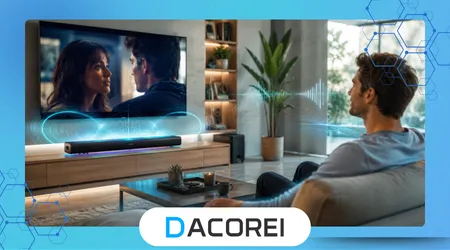
Soundbars with dedicated center-channel processing outperform generic stereo speakers for dialogue-heavy content. In actual living rooms, they reduce listening fatigue significantly.
However, cheaper soundbars without proper vocal tuning sometimes make dialogue worse by exaggerating bass.
3. Manual Equalizer Adjustments
Users willing to experiment often achieve excellent results manually. Lower bass and moderate vocal boosting create cleaner separation than many automated presets.
The downside is complexity. Small mistakes can make voices sound thin or metallic.
4. Subtitles Combined With Audio Optimization
Many experienced viewers quietly use subtitles even after improving audio. This combination reduces cognitive strain during fast-paced scenes or heavily accented dialogue.
Some users resist subtitles initially, but long-term usage patterns show they often improve overall viewing comfort.
Why Some “Fixes” Fail in Practice
A bigger speaker does not automatically mean clearer voices. Large bass-heavy systems can overwhelm dialogue if poorly calibrated. This happens frequently in living rooms where subwoofers dominate the audio profile.
Another misconception is believing all streaming apps deliver identical audio quality. In practice, some platforms compress dialogue more aggressively depending on bandwidth conditions. Two services playing the same movie may sound noticeably different.
Bluetooth headphones introduce another hidden issue. Many inexpensive models prioritize bass and cinematic immersion over speech precision. People sometimes buy headphones expecting clearer dialogue but end up with even muddier vocal reproduction.
There is also a physical limitation many articles ignore entirely: room acoustics. Empty rooms with hard surfaces naturally reduce speech intelligibility. Rugs, curtains, and softer furniture often improve clarity more than entry-level audio upgrades.
Comparing Different Approaches for Different Users
For casual viewers, built-in TV dialogue modes usually provide the fastest improvement with minimal effort. They work best for people who mainly stream shows and want a quick solution without changing hardware.
Dedicated soundbars become worthwhile when multiple viewers struggle consistently across different content types. They are especially effective in larger rooms where thin TV speakers lose presence over distance.
Manual equalizer tuning fits technically comfortable users who enjoy fine adjustments. This approach delivers strong results but requires patience. People wanting “plug-and-play” simplicity often abandon manual tuning after a few days.
Older users or households with mild hearing difficulties benefit more from voice-isolation technologies than raw volume increases. In practice, cleaner vocal separation reduces fatigue better than loudness alone.
Interestingly, subtitles remain one of the most effective real-world solutions despite resistance from many viewers. Experienced users often stop viewing subtitles as a compromise and start treating them as an accessibility enhancement that improves comprehension naturally.
The Privacy and Trust Side of Smart Audio Features
Some modern televisions analyze audio patterns using cloud-connected processing systems. While these features can improve speech clarity, users should understand that voice-related data processing sometimes occurs through connected smart TV ecosystems.
Manufacturers rarely explain these systems clearly during setup. Reviewing privacy settings after installation is a smart habit, especially when voice assistants remain enabled continuously in the background.
Users should also be cautious with third-party “audio booster” apps promising miracle enhancements. Some applications request unnecessary microphone permissions or aggressively collect usage data without offering meaningful improvements.
Trusted ecosystems from recognized manufacturers tend to receive long-term firmware updates that improve audio processing stability. Unknown budget brands often abandon support quickly, leaving unresolved sound bugs and compatibility issues behind.
In practical terms, using built-in accessibility features from reputable platforms is usually safer and more reliable than installing random enhancement software from unofficial app stores.
Conclusion
Trying to understand TV dialogue should not feel like solving a puzzle every night. Most clarity problems come from modern audio processing choices, speaker limitations, and room conditions rather than actual hearing failure.
The good news is that meaningful improvements often require small adjustments instead of expensive upgrades. Disabling aggressive sound effects, reducing bass, and activating speech-focused modes frequently solve the problem faster than people expect.
For households that watch large amounts of streaming content, dialogue-focused soundbars and intelligent enhancement systems deliver consistent long-term value. The best solution depends less on price and more on matching the setup to real viewing habits.
People who constantly increase volume during conversations should focus on speech separation rather than loudness. That shift in approach usually produces the biggest improvement in day-to-day comfort.
Most importantly, realistic expectations matter. No tool completely fixes poorly mixed audio or heavily compressed streaming tracks, but the right combination of settings and positioning can dramatically reduce frustration and make watching television enjoyable again.
FAQ
1. Why are movie dialogues quieter than action scenes on modern TVs?
Movies are often mixed for cinematic surround systems, which causes dialogue to sound softer on basic television speakers.
2. Does a soundbar always improve dialogue clarity?
Not always. Soundbars with dedicated center-channel enhancement work best, while bass-heavy budget models may worsen speech clarity.
3. Should I raise treble to hear voices better?
Moderate treble adjustments can help, but lowering excessive bass usually produces more natural dialogue improvement.
4. Why do subtitles help even when volume is high?
Subtitles reduce listening strain when speech frequencies are masked by background music, effects, or room reflections.
5. Are dialogue enhancement features safe to use on smart TVs?
Yes, when provided by reputable manufacturers. Users should still review privacy settings related to voice processing and smart assistants.